
Invoices that build themselves from your orders.
Every order line already knows its price and who pays. Angelpaw turns those lines into invoices at the moment you choose, groups clinic orders into monthly invoices, sends them, and lets you ask the AI Assistant what is still unbilled.
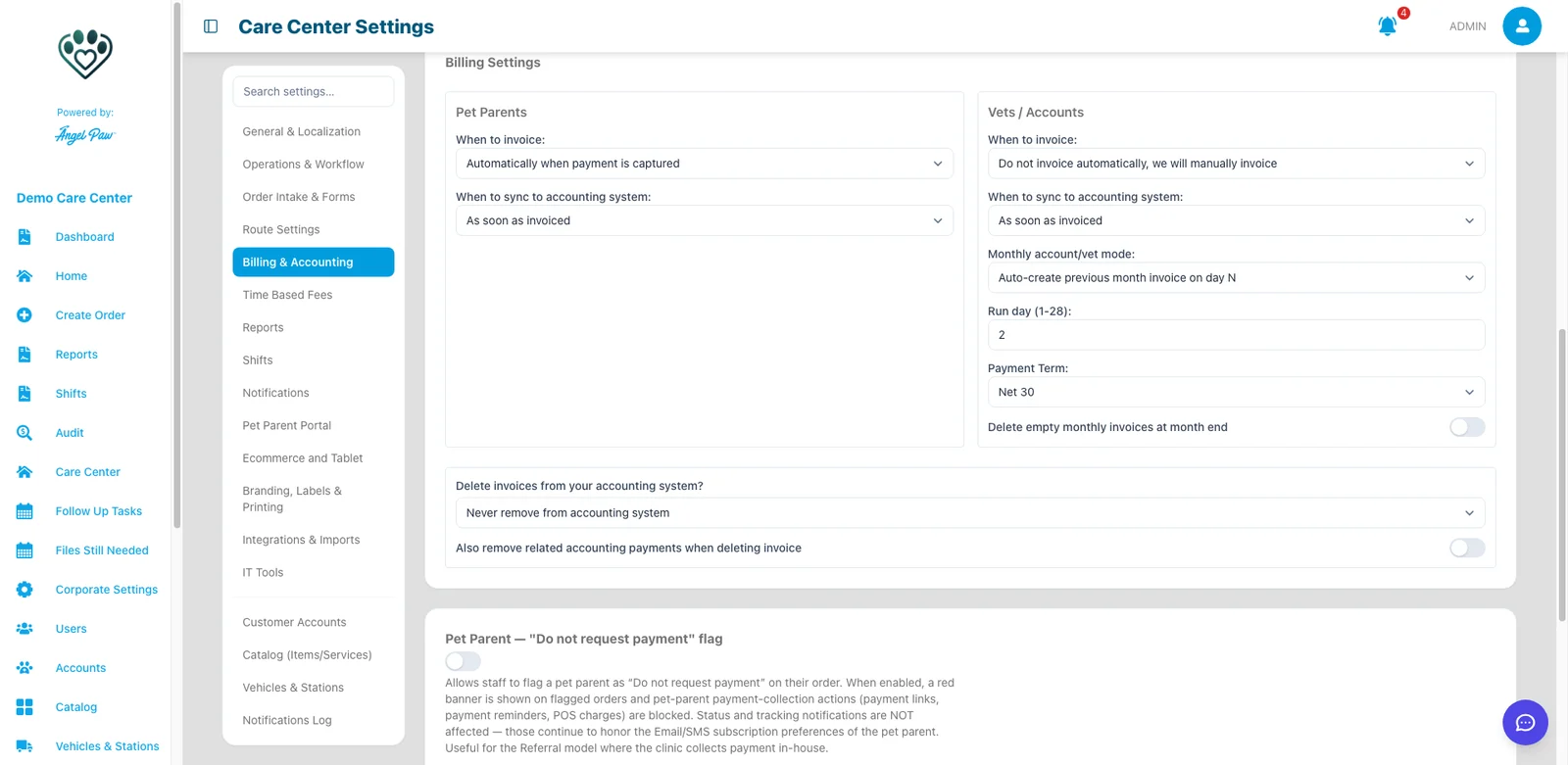
Settings screen from a demo care center; the AI Assistant answer is an illustrative mockup.
From order line to invoice, without re-typing.
Lines know the payer
Each order line is billed to the clinic or to the pet parent.
Rules decide when
Invoice when the order is created, paid, checked in, cremated, returned or completed.
Invoices go out
Emailed with a link to view and pay, with reminders until paid.
Books stay in sync
Invoices and payments sync to QuickBooks Online, Xero, NetSuite or Pennylane.
Pick the moment. Angelpaw does the rest.
Set separate rules for pet parents and for vets and accounts. Account groups and individual accounts can override them, or inherit the care center’s rule.
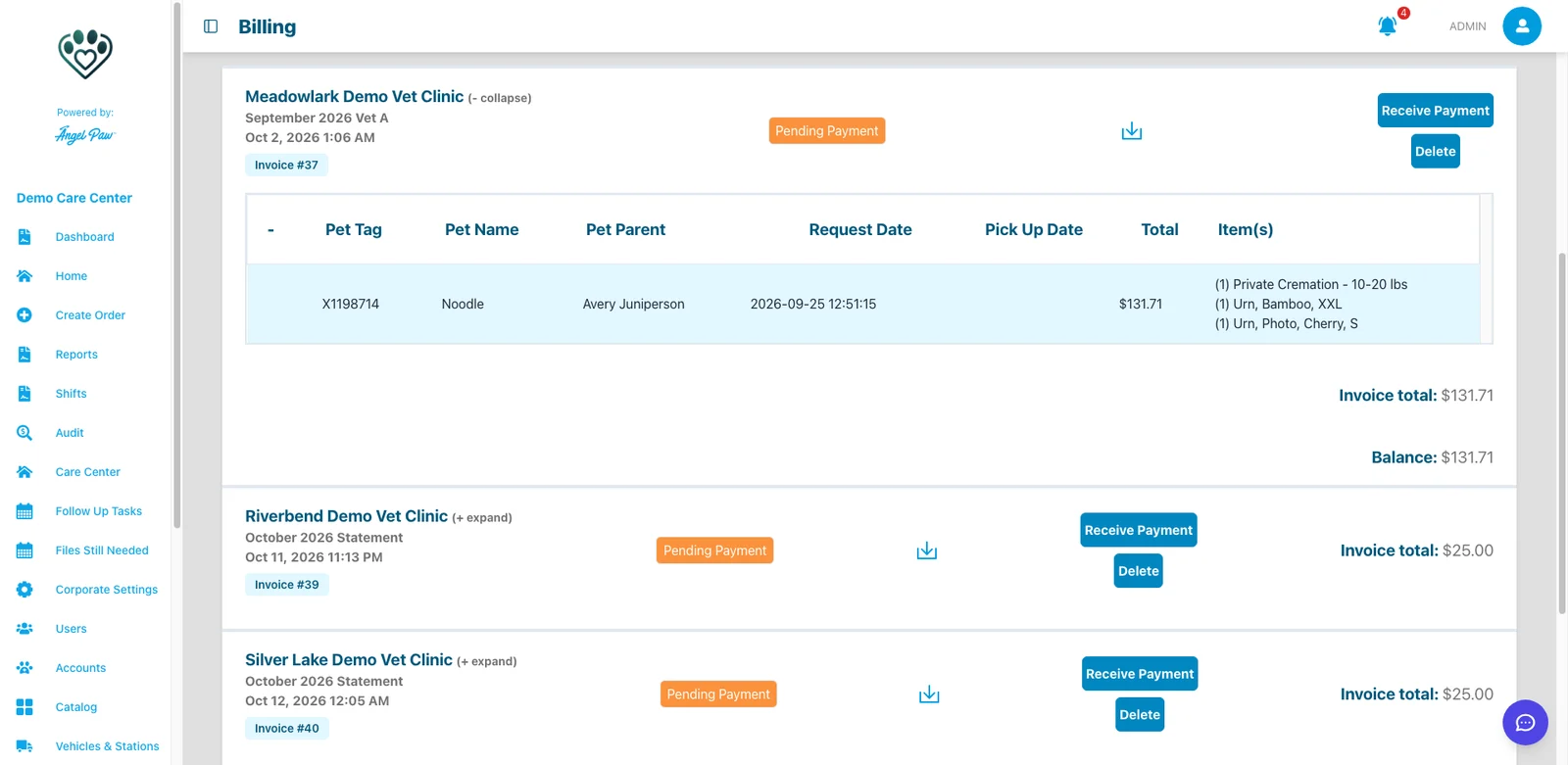
Real Angelpaw screen from a demo care center.
Clinic billing that runs itself every month.
Choose how monthly invoices for vets and accounts are built. In monthly mode, invoice and sync timing are managed for you.
Create on first order
The month’s invoice is created with the first order, and additional orders are appended.
Precreate at month start
An invoice is ready for every account on the first day of the month.
Auto-create on day N
Last month’s invoice is created on the run day you choose, from 1 to 28.
From picked up pets
Invoices are created from picked up pets, upon check-in.
The AI Assistant knows your orders and invoices.
Ask in plain language what is still unbilled, which payments are recorded or how this month compares with last month. The AI Assistant answers from your care center’s data and can create reports for you.
- Questions in plain language, answers from your own data
- Reports created on request
- Works alongside the invoice list and Accounts Receivable
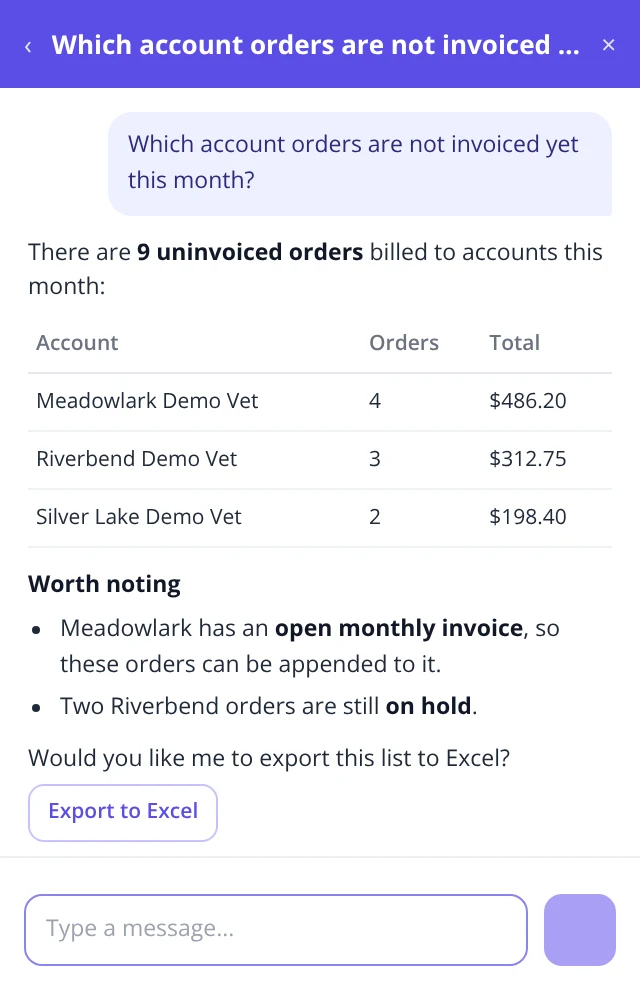
Illustrative mockup with fictional accounts and amounts.
A month at a glance, from the dashboard.
In this real AI Assistant answer, a monthly summary flags what has not been cremated yet this month and that no payments were recorded, so nothing slips before invoices go out.
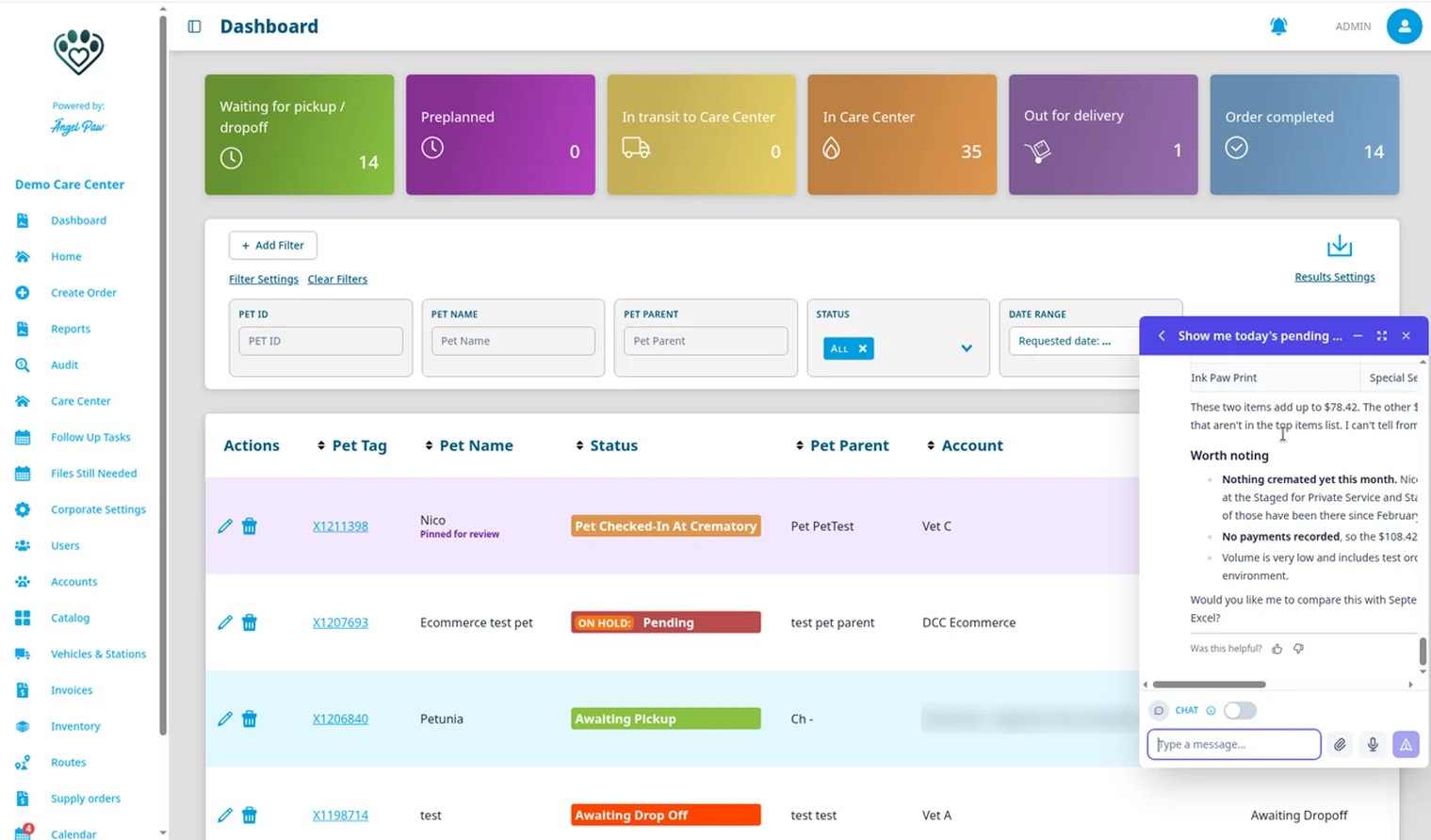
Real Angelpaw screen from a demo care center.
Automation you can trust with your billing.
No repricing
Creating an invoice never reprices an order or adds fees: invoices carry the prices the order was charged.
Never emailed twice
The invoice email is sent after the invoice is saved, and an invoice is never emailed twice.
End-of-month safety net
On the 1st, fully paid pet parent orders that were never invoiced are invoiced. Partially paid orders are left for you.
Empty invoices cleaned up
Monthly invoices that end the month with no orders can be deleted automatically.
Locked lines
Invoiced lines appear read-only on the order, so an invoice and its order always agree.
Tax as billed
Lines already invoiced keep the tax they were billed with when the order is saved again.
Common questions
Is every invoice created automatically?
Only if you want it to be. Choose the moment for pet parents and for accounts, or select Do not invoice automatically and create invoices by hand.
Can clinics get one invoice per month?
Yes. Monthly account mode can create the invoice on the first order and append the rest, precreate it at month start, or auto-create last month’s invoice on a day you choose.
What does the AI do?
The AI Assistant answers questions about your orders, invoices and payments in plain language and can create reports. Invoice amounts always come from the order lines.
When do invoices reach my accounting system?
At the moment set in When to sync to accounting system: as soon as invoiced, after a chosen step, only when paid in full, or manually.