
Bill clinics and families from the same orders.
Every order line already knows who pays. Angelpaw turns those lines into account invoices for clinics and invoices for pet parents, takes payments against them, tracks what is owed and syncs to the accounting system you already use.
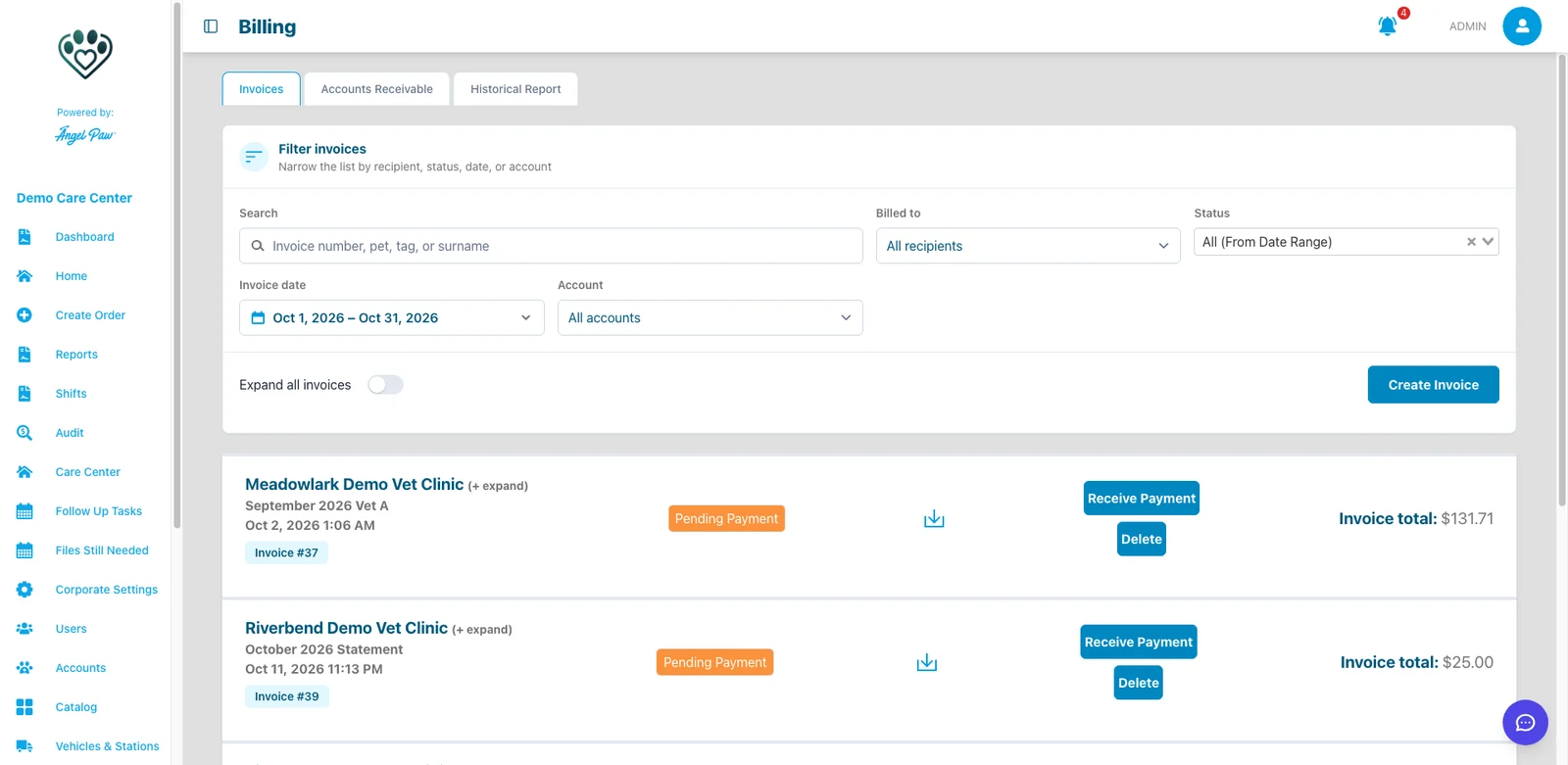
Real Angelpaw screens from a demo care center.
Every order line has a payer.
The “Bill to” on each line decides where it goes: to the clinic, or straight to the family.
Account invoices for clinics
Group one or many orders for a clinic, for example a monthly invoice, with a due date from the account’s payment term.
- Monthly invoices built automatically
- Payment terms from Due on Receipt to Net 60 or custom
- Clinics can pay online from their portal
Invoices for families
One invoice for one order, described as an invoice for that order, sent by email with a link to view and pay.
- Created when payment is captured, or at the moment you choose
- Copy another address on the invoice email
- Payment links with automatic reminders
Create, review, print, collect, send.
The whole billing cycle runs on the same order data your team already works with.
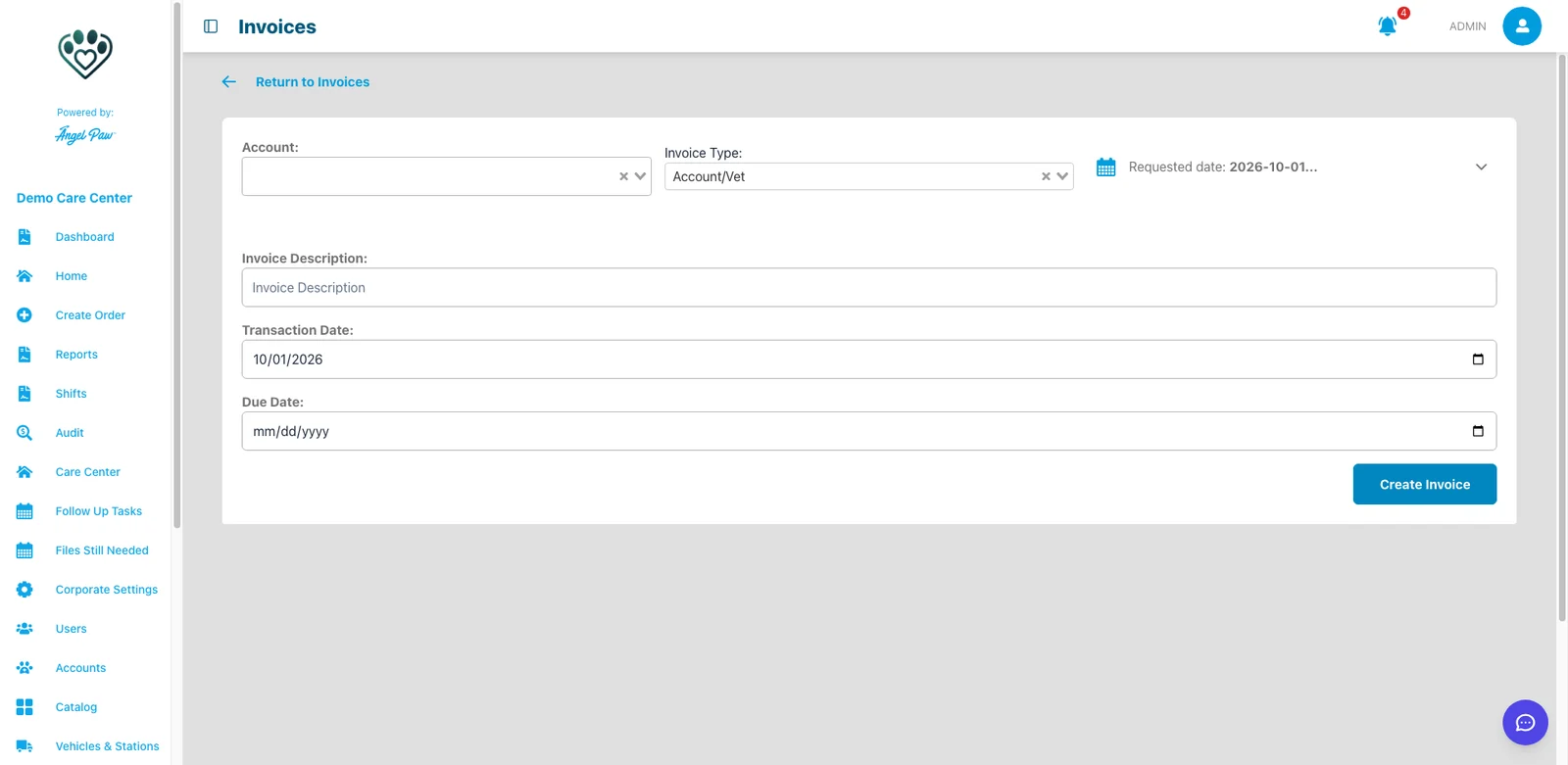
Pick the orders, set the dates, done
Choose the account and invoice type, filter uninvoiced orders by requested, pick-up, check-in, service or return date, tick the orders and create the invoice.
- Append orders to an existing open invoice
- Due date pre-filled from the payment term
- Creating an invoice never reprices an order or adds fees
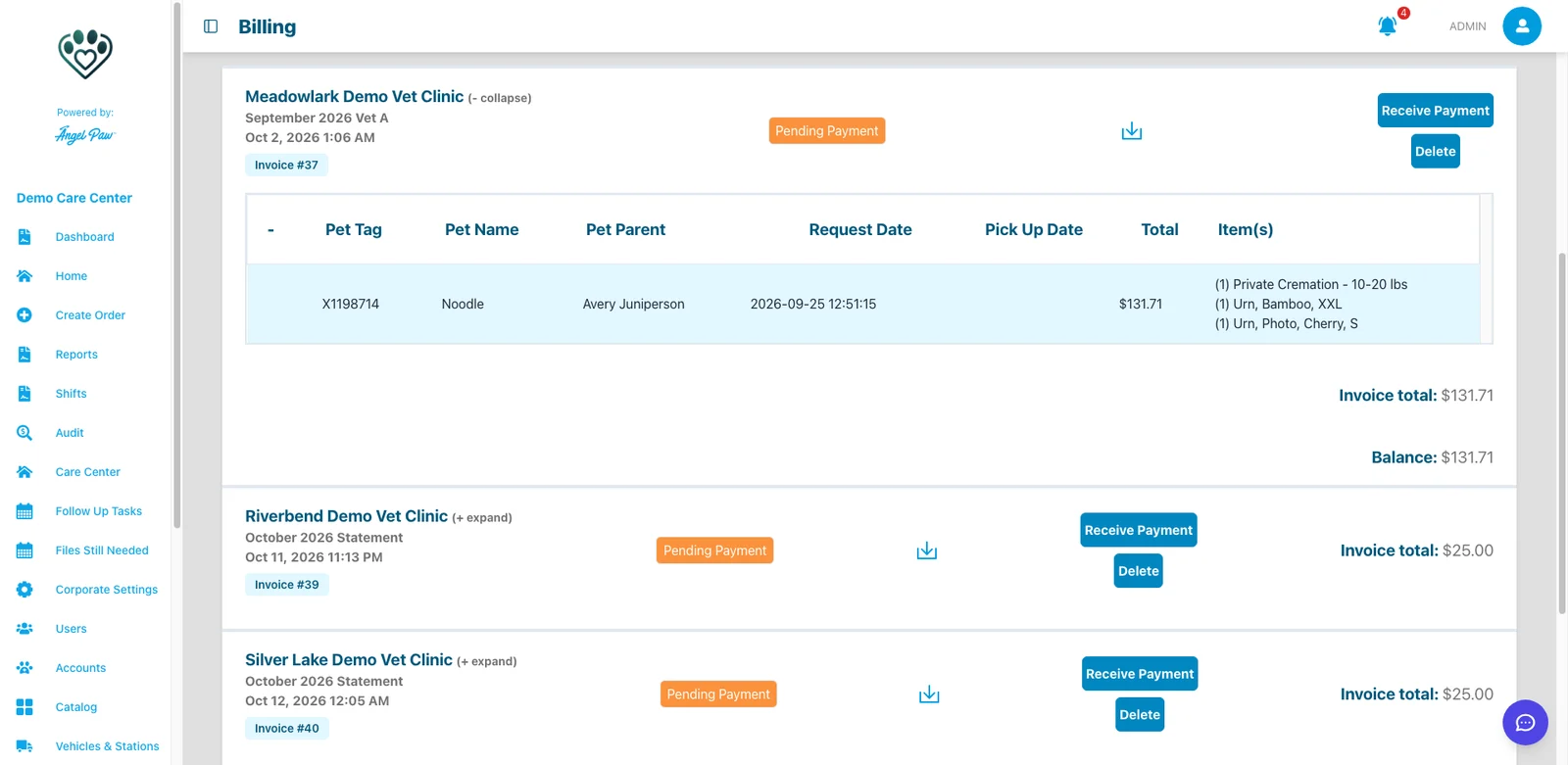
Every pet, every item, every payment
Expand an invoice to see one row per pet with tag, pet parent, request and pick-up dates, the pet’s total and its items, then the total, payments applied and the remaining balance.
- Pending Payment and Paid status badges
- Remove a pet from an unpaid invoice
- Sync or re-sync to the accounting system
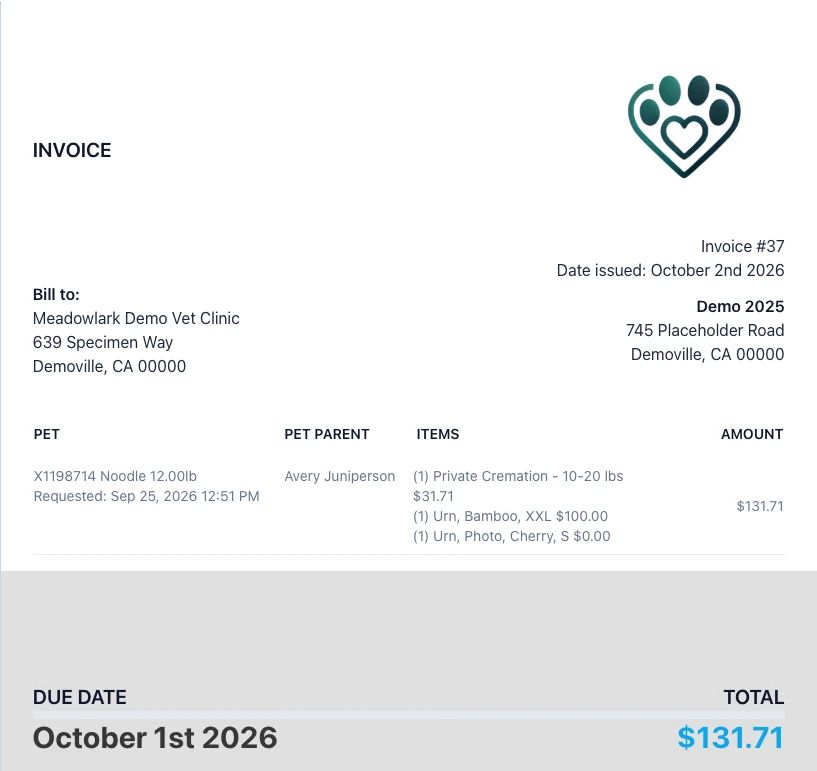
A clean invoice under your name
The printable invoice carries your billing name, address and logo, with one block per pet, the due date and the total. Switch between the detailed per-pet view and a summary.
- Print or save as PDF from the browser
- Clinic branding available for selected accounts
- QuickBooks care centers download the QuickBooks PDF
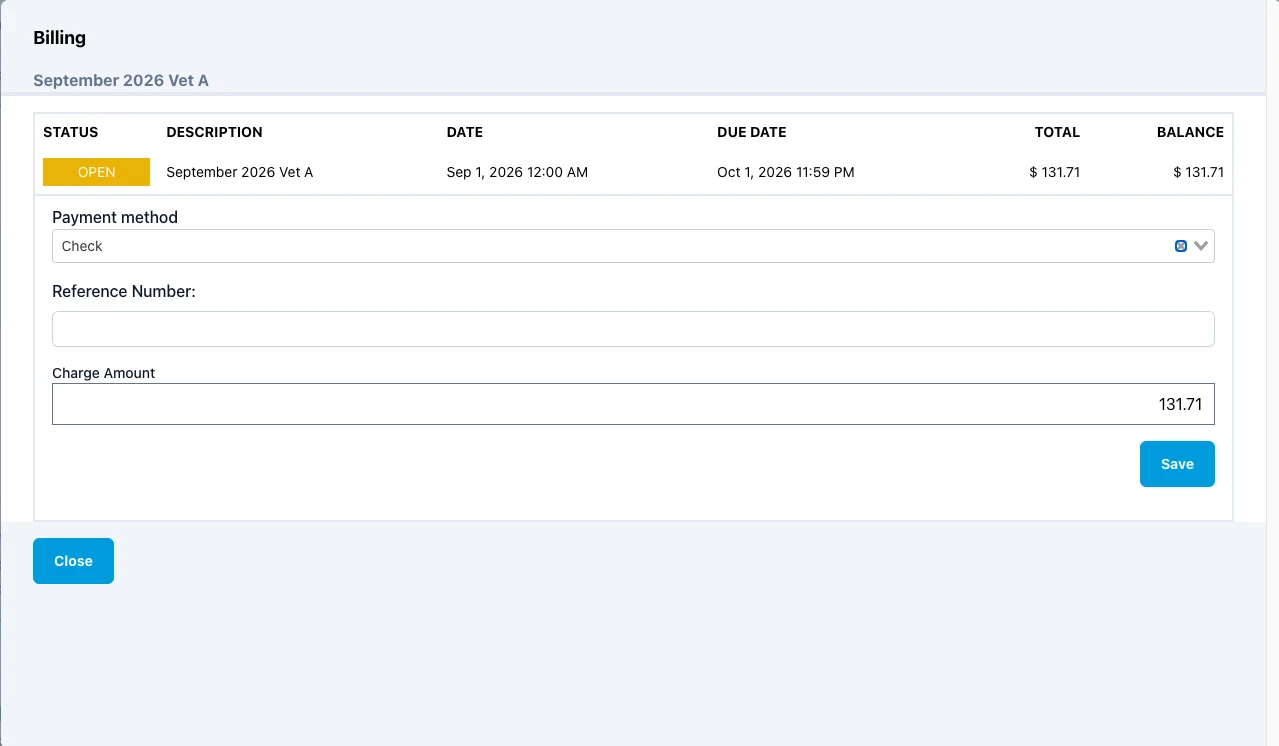
Record or take a payment in one dialog
Pick the payment method, add a reference for checks and offline cards, and enter the amount. Partial payments are allowed, and the balance updates right away.
- Cash, check, card, terminal, payment link and more
- Use open credit as a payment
- Card processing fees shown before anyone pays
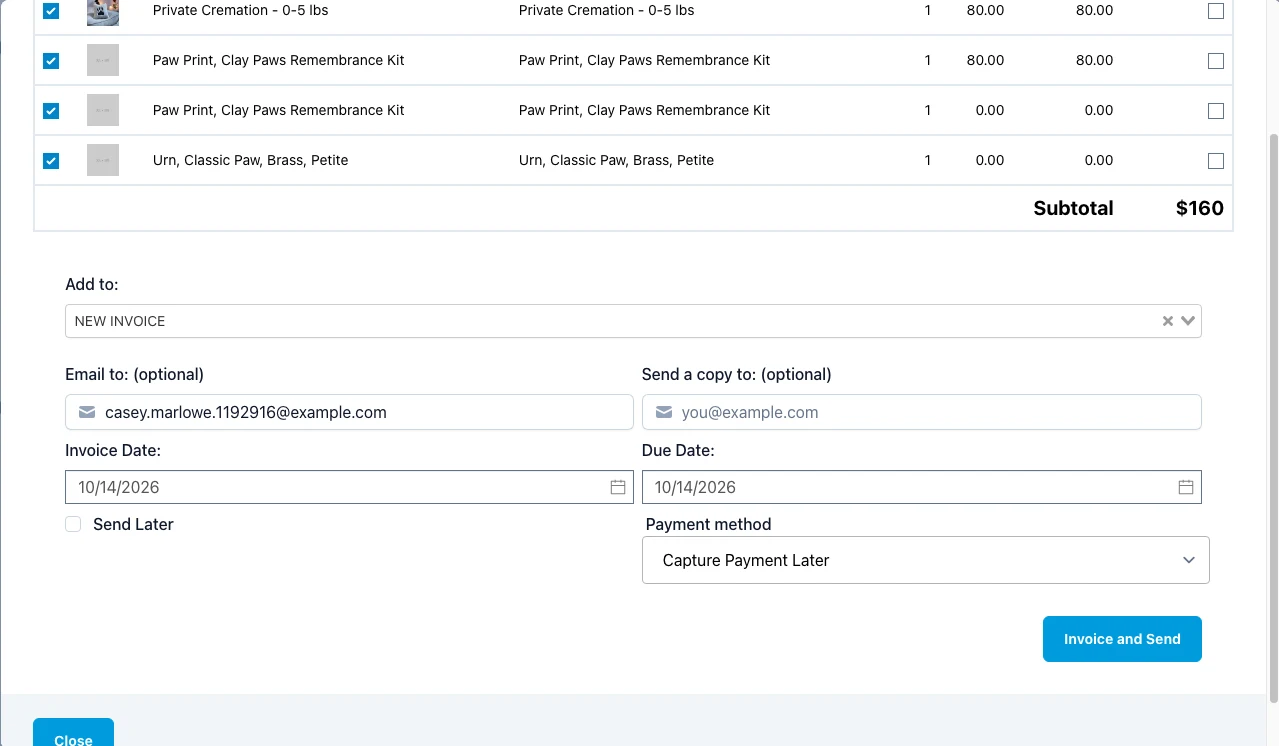
Invoice from the order and send it at once
When billing a family from an order, add the email, an optional copy address, the invoice and due dates and a payment method. With an email filled in, one click invoices and sends.
- Send Later when you are not ready
- Copies go to every address you list
- An invoice is never emailed twice
Real Angelpaw screens from a demo care center.
Know who owes you, and since when.
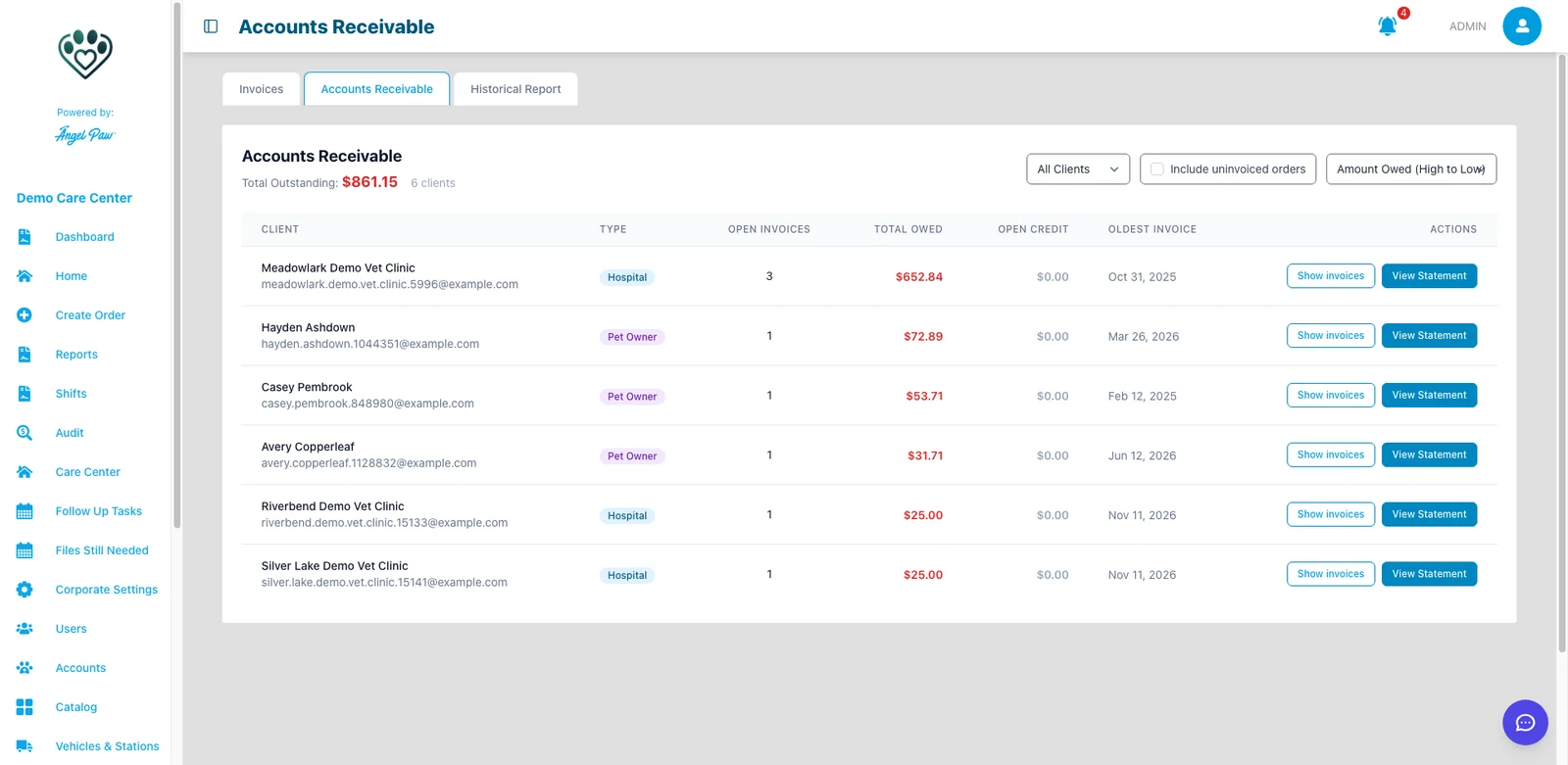
Accounts Receivable lists everyone with an open balance: open invoices, total owed, open credit and the oldest invoice, with the total outstanding at the top.
- Filter by hospitals and vets or pet owners
- Include uninvoiced orders in the picture
- Apply open credit to an invoice in one step
- Printable Statement of Account for each client
The Historical Report tab downloads every invoice as an Excel file, grouped into monthly sheets.
You decide when invoices happen.
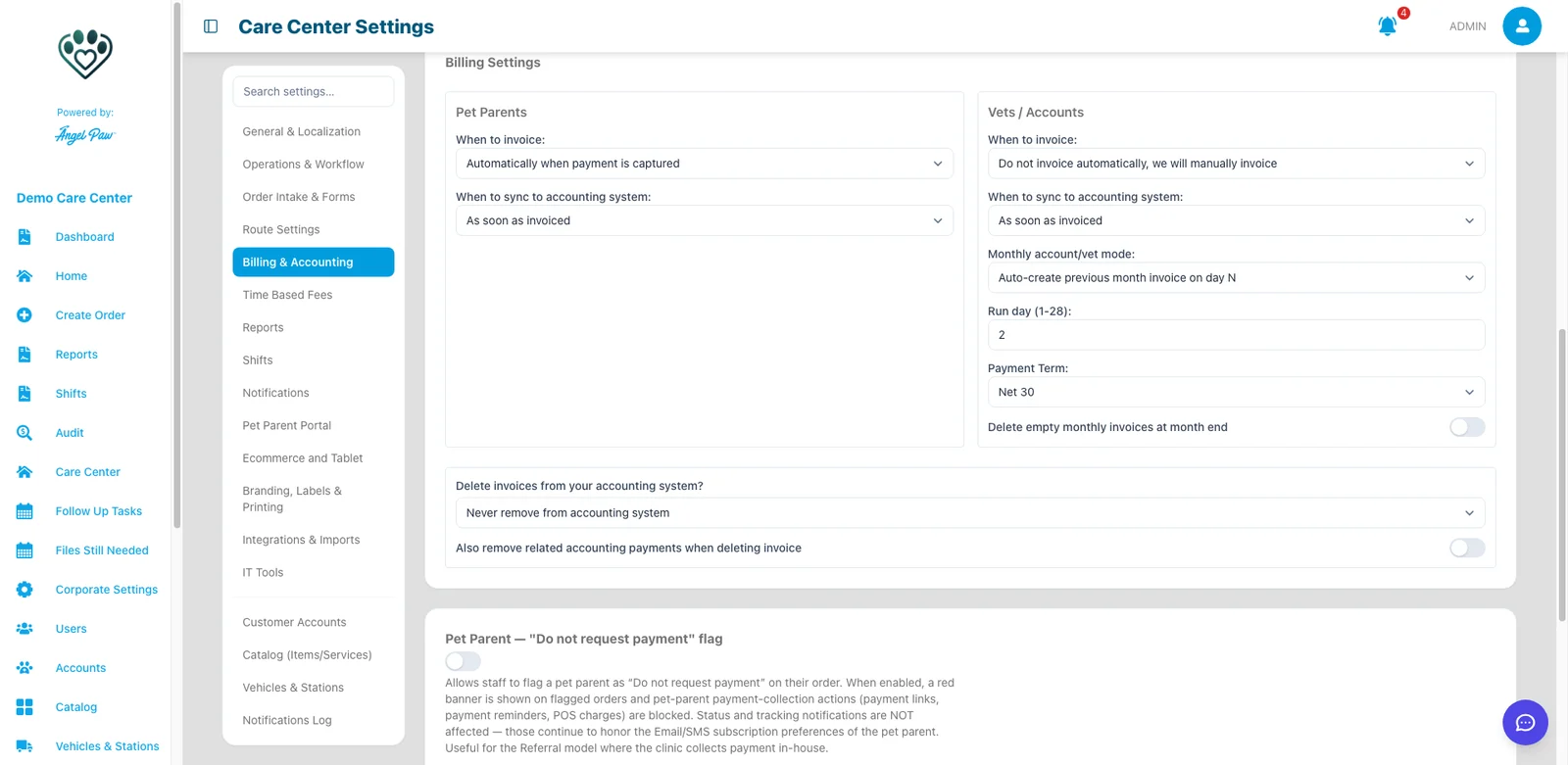
Separate rules for pet parents and for vets and accounts, saved as soon as you change a value. Account groups and individual accounts can override them.
At the moment that fits your workflow
Monthly mode for accounts
- Create on first order and append the rest
- Precreate at the start of the month
- Auto-create last month’s invoice on a chosen day
- Create from picked up pets at check-in
Keep the books where they already live.
Angelpaw connects to one accounting system per care center and sends invoices, and the payments recorded against them, at the moment you choose.
QuickBooks Online
Customer accounts and items linked both ways through import. Invoices, payments and the QuickBooks invoice PDF.
Xero
Invoices as Draft or Approved, and payments, with a sync log and automatic retries for failed entries.
NetSuite
Customer accounts, items and invoices, with income, expense and inventory accounts per item.
Pennylane
Customers, products with VAT rate and invoices, available for selected European care-center groups.
No accounting system
Import accounts and items from spreadsheets and keep invoices in Angelpaw.
Taxes follow your items
Taxes are sent with the tax code mapped to each item, so the tax in your accounting system follows your item setup there.
Billing that grows with your care center.
Invoicing works from the same data as tracking, orders and reporting, so your office team spends less time re-keying and more time with families and partner clinics.
- Invoices and statements under your brand
- Online payment for clinics, from links or their portal
- Every payment and invoice in the Historical Report

Common questions
Can I bill clinics monthly?
Yes. Monthly account mode can create the invoice on the first order and append the rest, precreate it at the start of the month, or auto-create the previous month’s invoice on a day you choose.
Can families pay their invoice online?
Yes. Pet parent invoices are emailed with a link to view and pay, and you can send payment links with automatic reminders every few days until paid.
Which accounting systems do you connect to?
QuickBooks Online, Xero and NetSuite, plus Pennylane for selected European care-center groups. Care centers without an accounting system can work from spreadsheets.
Are partial payments supported?
Yes. The invoice stays Pending Payment until the balance reaches zero, and every payment is listed on the invoice.
Who can create or delete invoices?
Creating and deleting invoices is reserved to administrators and staff with invoice permission. Paid invoices can no longer be deleted or edited.