
Aftercare requests, simple for vet teams.
The Angelpaw Veterinarian Portal lets your partner hospitals request aftercare services, print a QR code label for each pet, follow every order in real time and see their invoices, reports and messages, all in one place.
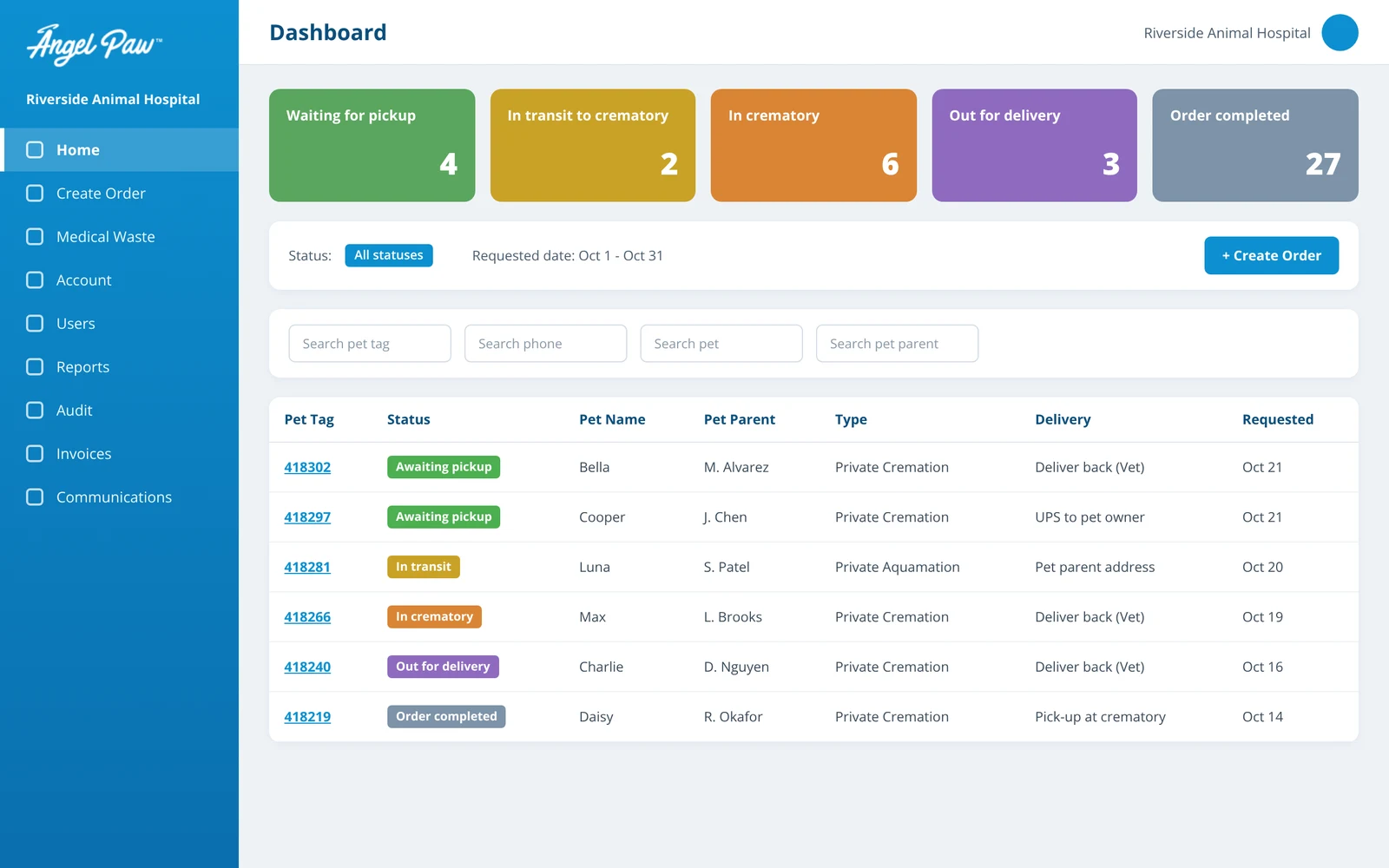
Dashboard: illustrative mockup with fictional data. Order step: real portal screen.
Request. Follow. Settle.
Everything a veterinary hospital needs to work with your care center, without phone calls, paper forms or separate logins.
Create orders in minutes
- Seven guided steps, from pet parent to payment
- Bundles or Build Your Own
- A QR code label printed for every pet
See every order, live
- Status tiles from pickup to completion
- Filters by date, status, pet or pet parent
- Order details one click away
Invoices, reports and messages
- Detailed invoices by date range
- Financial, volume and status reports
- Direct communication with the crematory
Seven steps. One QR code. No paperwork.
The Create Order flow walks hospital staff through everything the care center needs, in the right order.
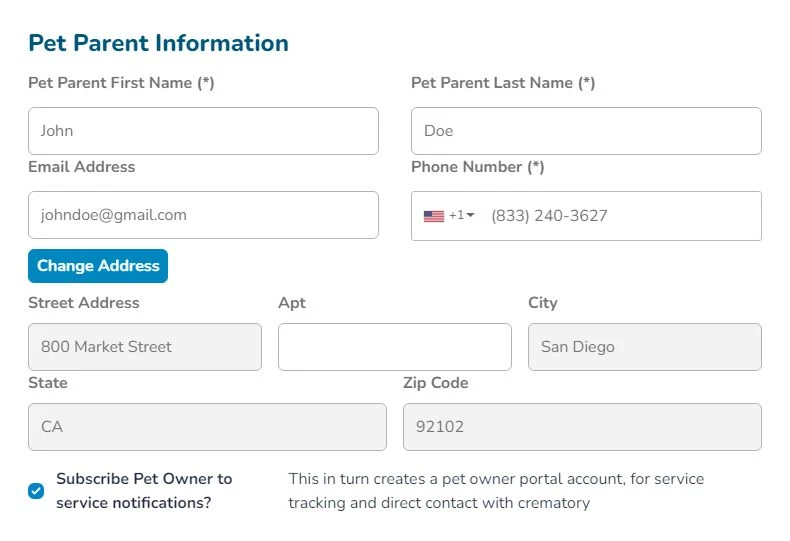
Pet parent information
Name, email, phone number and address. With one check box the pet parent can subscribe to service notifications.
- Subscribing creates a Pet Parent Portal account
- Families get service tracking and direct contact with the crematory
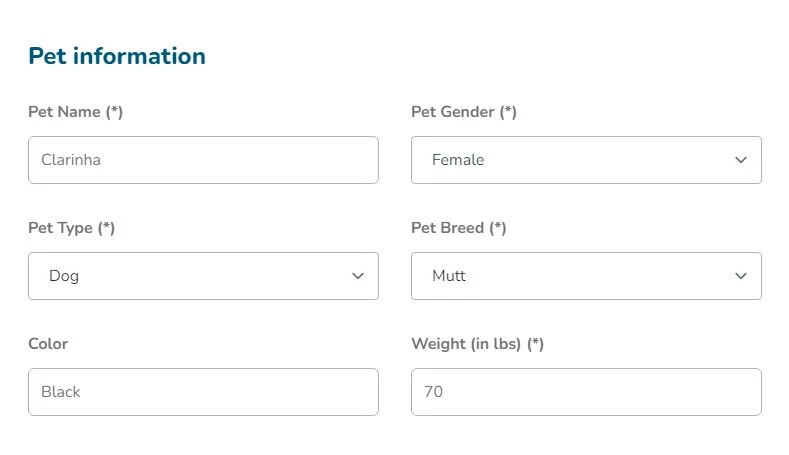
Pet information
Pet name, gender, type, breed, color and weight in pounds, with drop-down lists to keep data clean.
- Weight drives the right service and pricing
- The same record follows the pet all the way through
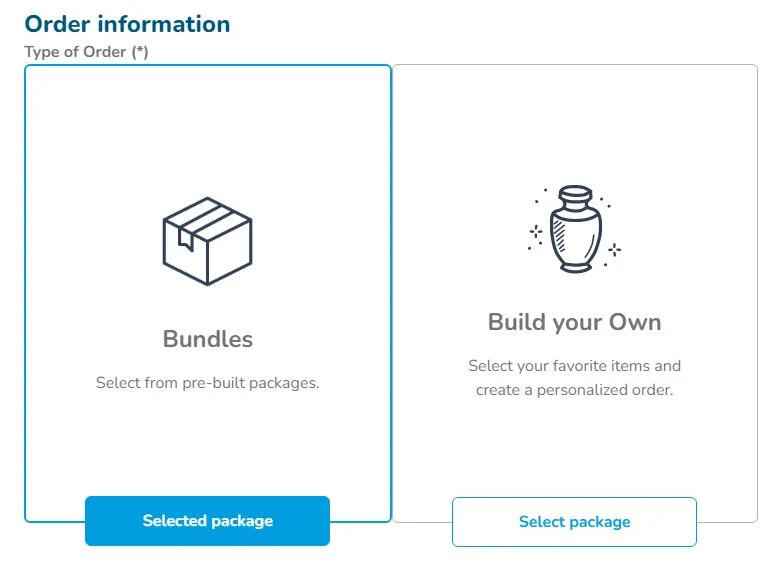
Bundles or Build Your Own
Choose a pre-built package, or build a personalized order from a service plus the items the family wants.
- Bundles: a package, plus urns, additional charges, jewelry or special services
- Build Your Own: a service, plus the same add-ons
Urns, keepsakes and special services
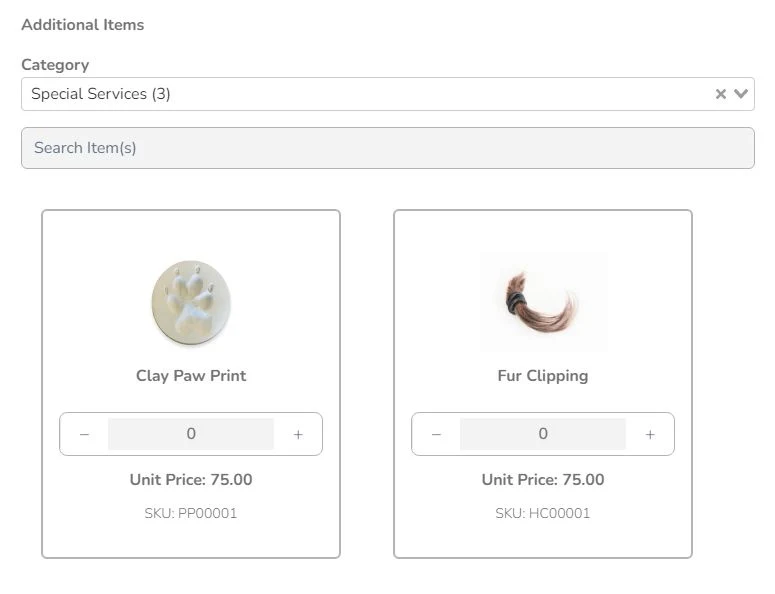
Add items by category, such as clay paw prints or fur clippings, with unit prices and SKUs from the hospital’s assigned catalog.
- Categories such as urns, jewelry and special services
- Quantities set right on the card
Special instructions and delivery
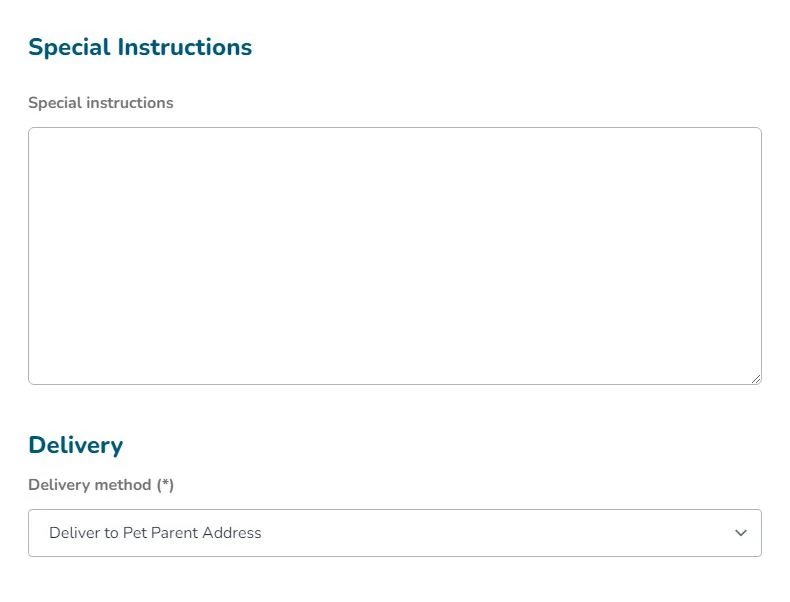
Add any instructions from the pet parent, then choose how the remains come home.
- UPS (Ground) to pet owner
- Pick-up at crematory
- Deliver back to the vet
- Deliver to the pet parent’s address
Order summary and payment
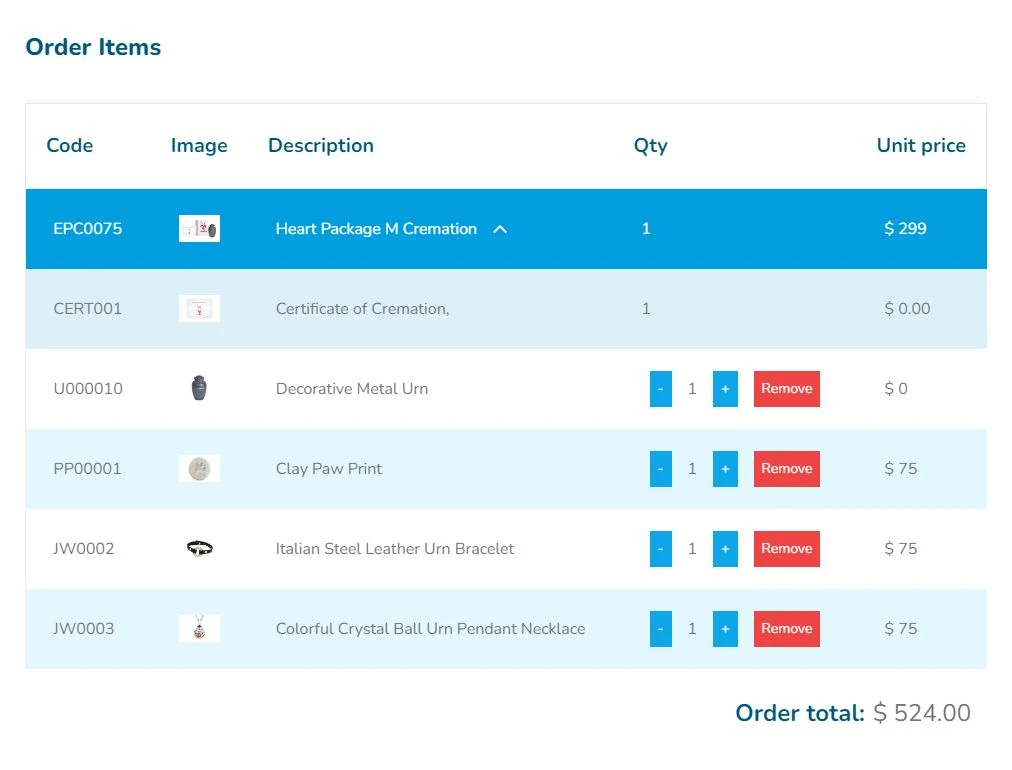
Review every line with code, image, description, quantity and unit price, then record how the order is paid.
- Paid at hospital
- Card, paid at the crematory
- No payment required
A QR code for every pet
When the order is created, Angelpaw generates a QR code. Print the label and attach it to the pet’s body bag, so every scan from here on is tied to the right order.
- Print from the order right away
- Find the order on the dashboard at any time
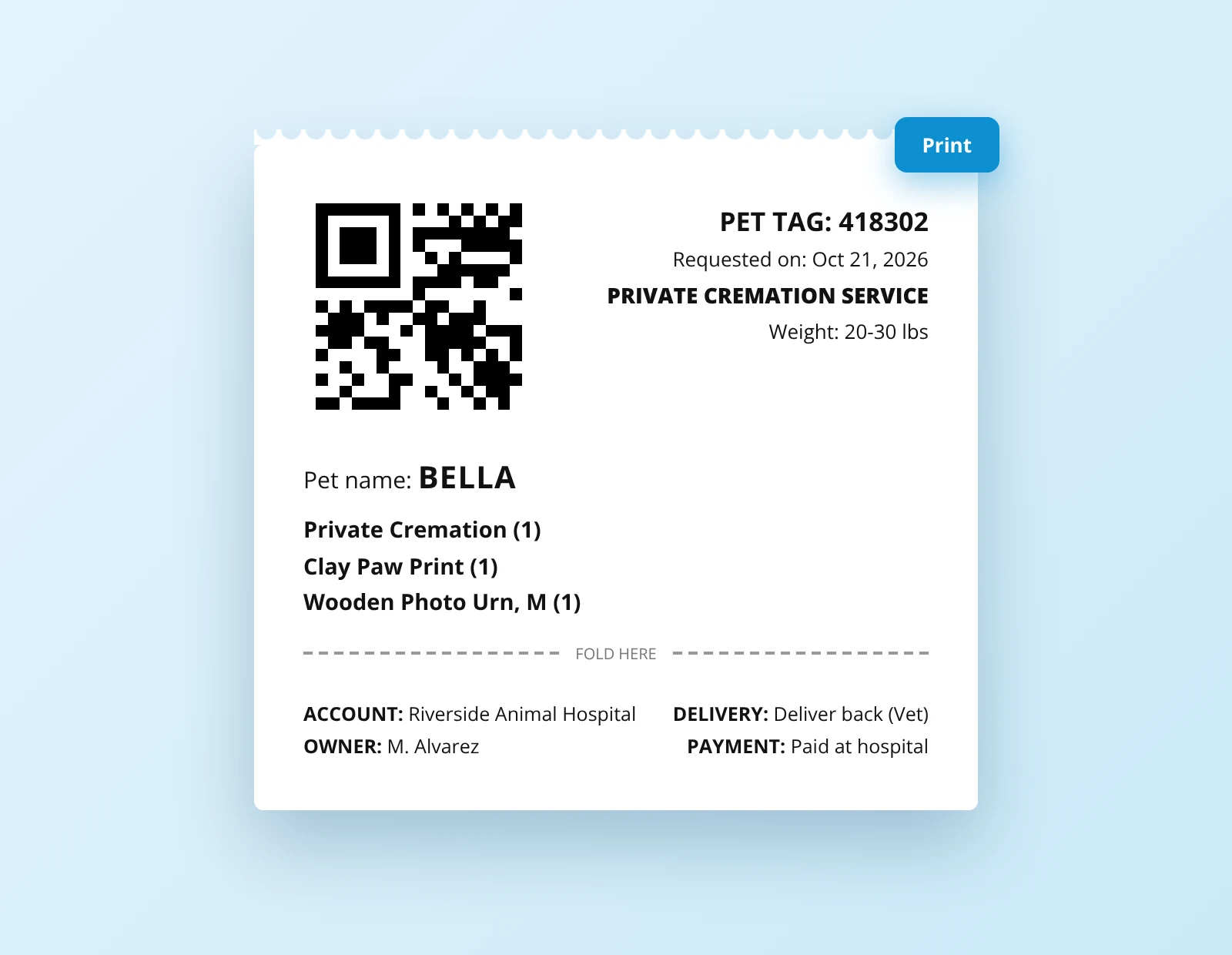
Steps 1 to 6 are real Veterinarian Portal screens with sample data. The label is an illustrative mockup with fictional data.
Every order, at a glance.
Once orders are created, they fill the hospital’s dashboard. Click a colored status to filter, or search by requested date, status, pet tag, phone, pet or pet parent.
Click any pet tag to open the full order details.
Illustrative mockup with fictional data.
Reports, invoices and a direct line to you.
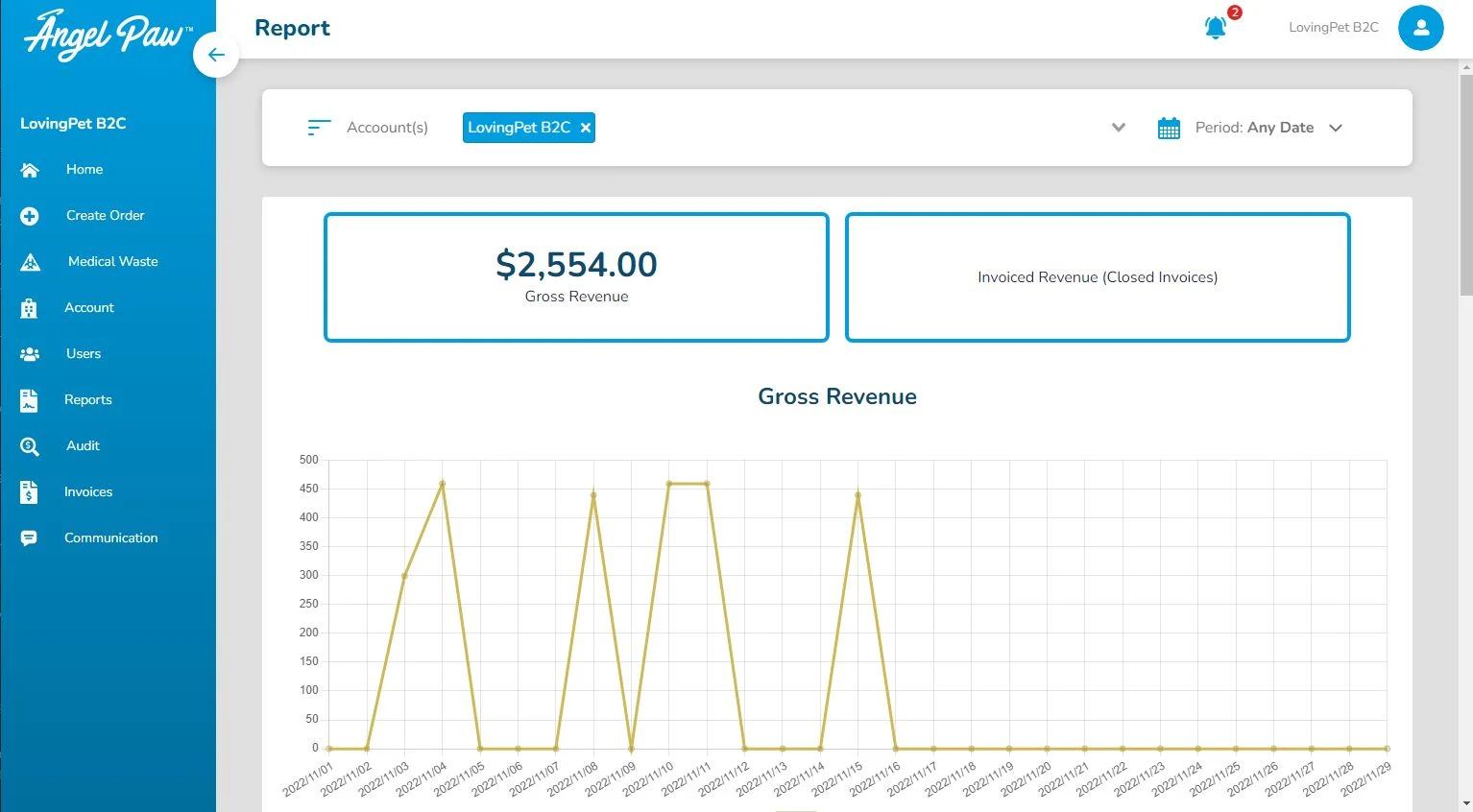
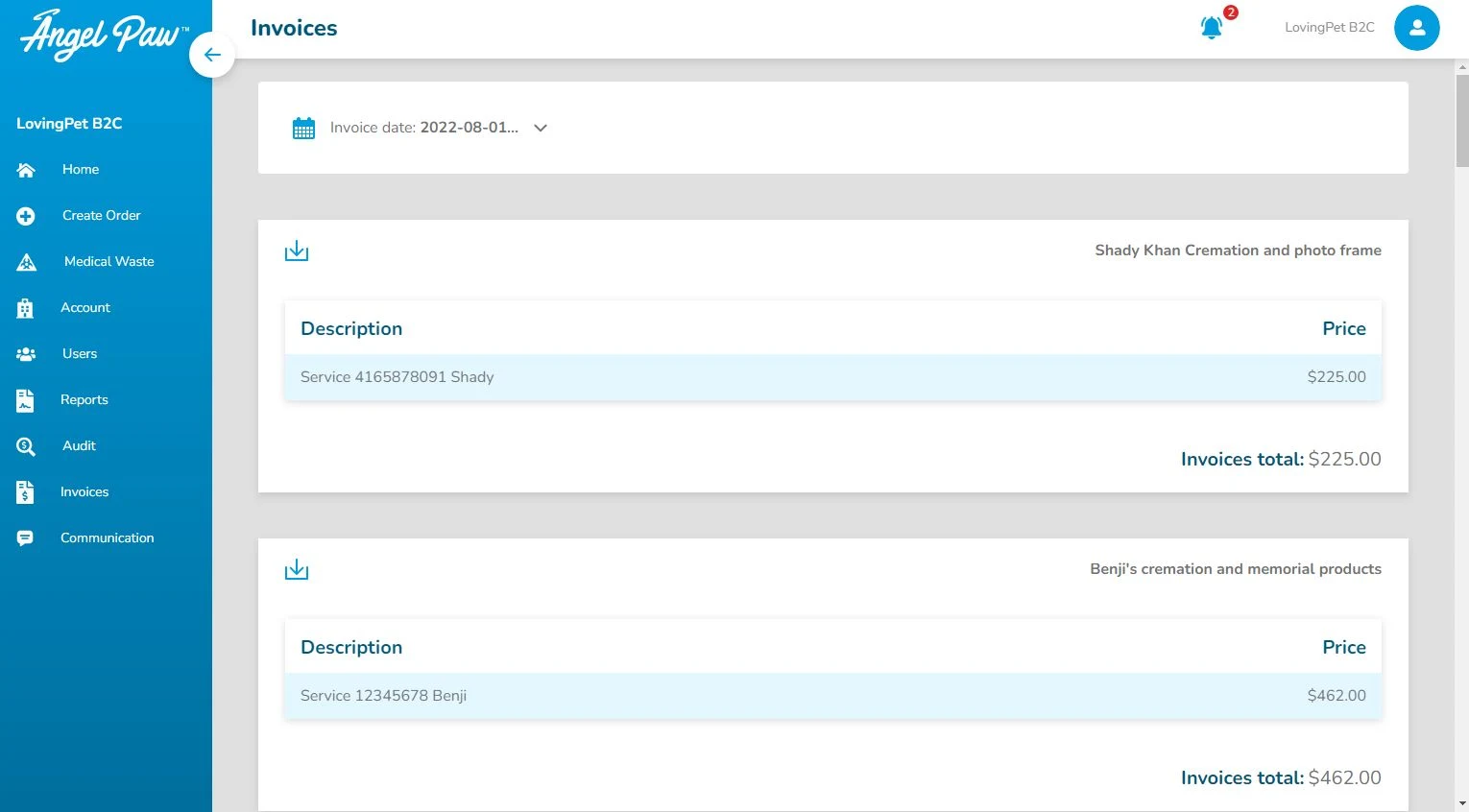
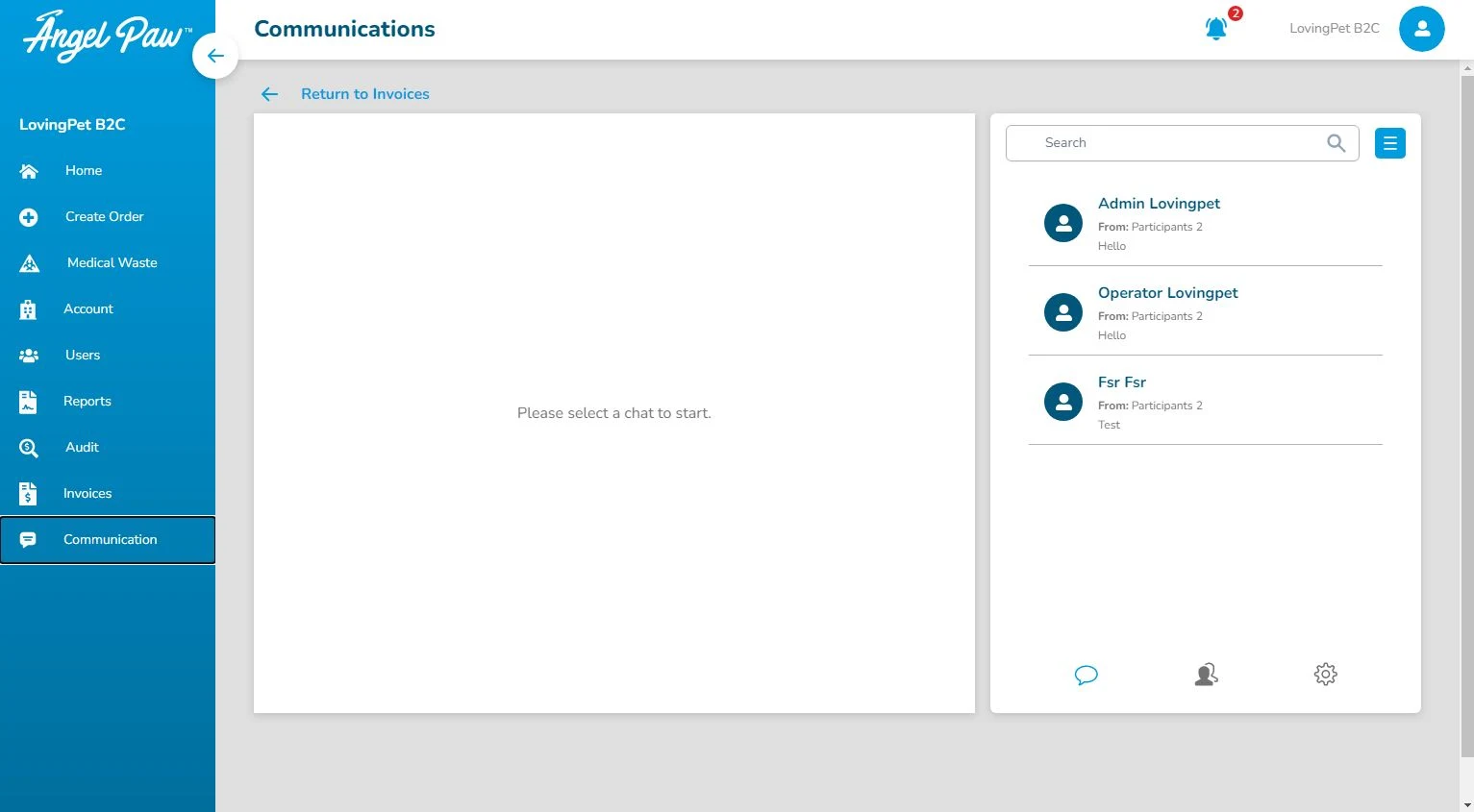
Real Veterinarian Portal screens from a test account.
The right access for every person at the hospital.
The practice lead
Every hospital starts with a veterinary admin user who manages the account.
- Sees the hospital profile and assigned catalog
- Sees reports, invoices and amounts
- Creates and removes staff users
The front desk and techs
Additional users for the people who create orders day to day.
- Create service requests
- Search and follow recorded orders
- No access to totals or the hospital profile
When the vet creates the order, the family is connected too.
If the pet parent subscribes during the order, an Angelpaw account is created for them. They can follow their pet’s journey, reach the crematory directly and create a celebration video, which can mean fewer status calls for the hospital.
See the Pet Parent App
Common questions
Who uses the Veterinarian Portal?
Your partner veterinary hospitals. Each hospital gets a veterinary admin user and can add hospital staff users.
What information does an order need?
Seven steps: pet parent information, pet information, order information (Bundles or Build Your Own), special instructions, delivery method, order summary and payment information.
How is each pet identified?
When the order is created, the portal generates a QR code. Staff print the label and attach it to the body bag, and the order shows on the dashboard right away.
Which delivery and payment options are available?
Delivery: UPS (Ground) to the pet owner, pick-up at the crematory, delivery back to the vet, or delivery to the pet parent’s address. Payment: paid at the hospital, card paid at the crematory, or no payment required.
Can hospital staff see prices and totals?
Hospital staff users can create service requests and search orders, but they cannot create users or see the hospital profile or money amounts. The veterinary admin can.