
One view across every location.
Vet groups and multi-location operators get full visibility into every order and every location, individually or in aggregate. Reporting works for a single location, a region or a national network, from the same data.
Illustrative mockup with fictional data.
Run many care centers like one.
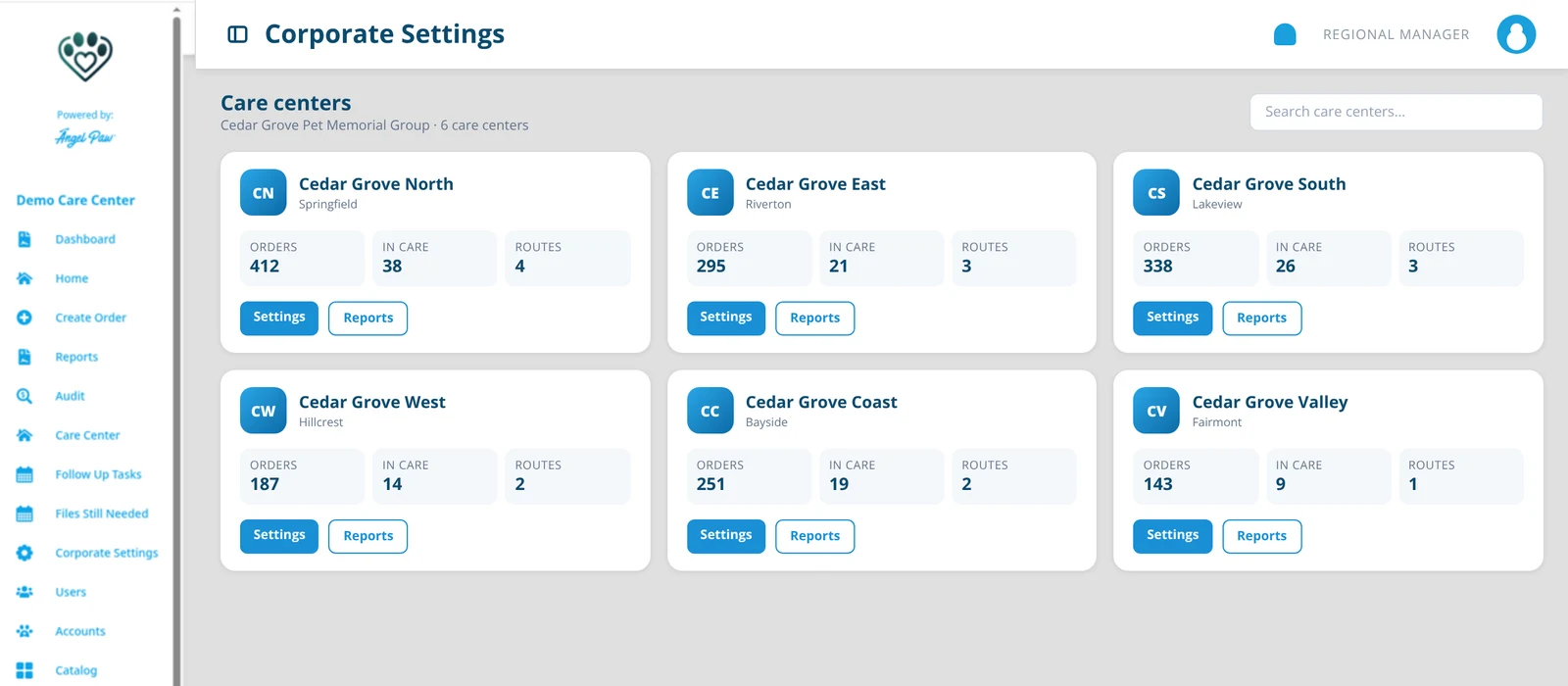
A Regional Manager oversees several care centers without needing to be set up in each one.
Corporate Settings
The care centers of the corporation, each card with its own Settings, plus corporation-wide options.
Corporate dashboard
The corporate (franchise) dashboard for regional managers with corporate dashboard access.
Reports
Order, revenue and volume reports for the care centers they oversee.
Audit
The audit trail across locations, for consistent standards.
Users
Manage users and roles across the group.
Shifts
Shift clock in and clock out records where shift tracking is on.
Every clinic, separately or together.
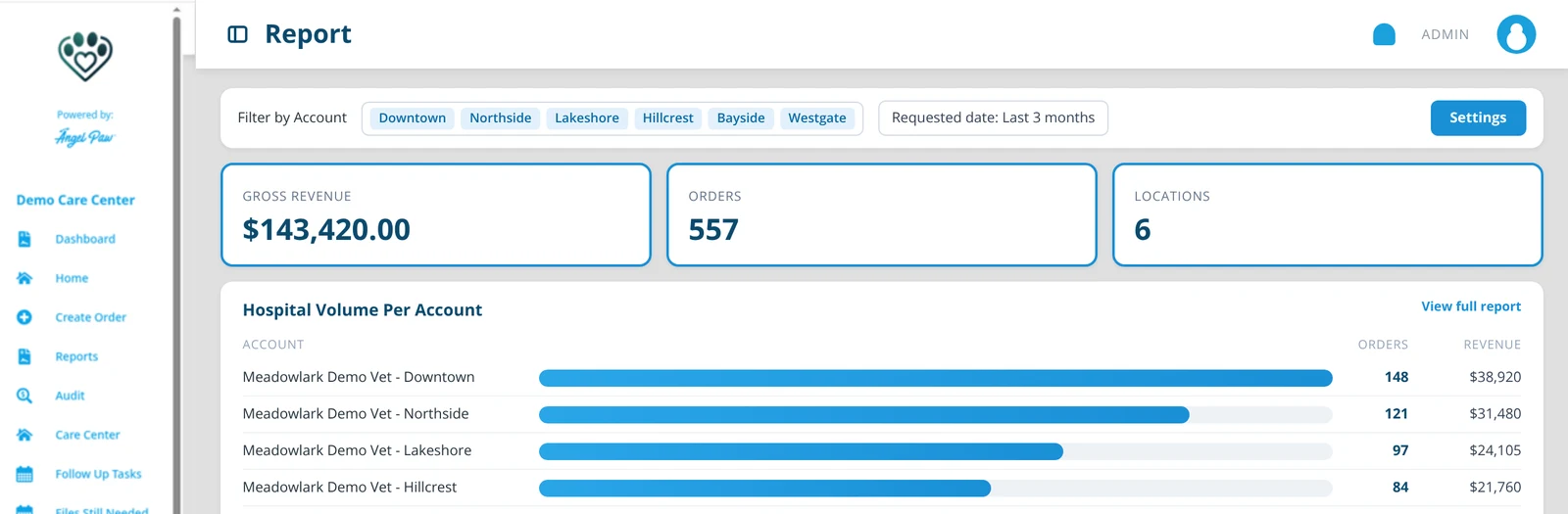
Filter reports by one clinic or many. Hospital Volume Per Account shows orders and revenue for each location side by side, and the totals roll up for the whole group.
- Filter by Account: pick any set of clinics
- Hospital Volume Per Account
- Account groups share pricing, pickup and return methods and notifications
Illustrative mockup with fictional data.
The same rules at every level.
Every report, from the care center to the veterinary portal and the corporate view, classifies orders into channels with the same shared rules, so numbers match wherever you look.
Single location
Reports for one care center or one clinic.
Regional
Regional managers see the care centers they oversee.
National
Groups see every location together, in aggregate.
Every audience
Clinic users only ever see revenue billed to their own accounts.
From one site to a network.
Account groups
Configure pricing once for every clinic in a group, and override per account when needed.
Category and custom group filters
Care center users can filter reports by category and custom group when configured.
Full Year Report
Revenue per account per month, per species and per service type, in one Excel file.
Common questions
Who sees the corporate view?
Regional Managers and Angelpaw IT. Regional Managers get Home, Corporate Settings, Users, Reports and Audit, plus Dashboard and Shifts where enabled.
Can a vet group see all its clinics together?
Yes. Reports can be filtered by one or many accounts, and Hospital Volume Per Account shows each clinic side by side.
Do the numbers match across views?
Yes. Channel classification uses the same shared rules in care center, veterinary and corporate reports.
Can clinics in a group share pricing?
Yes. Account groups configure pricing, pickup and return methods and notifications once for every clinic in the group.