
A memorial shop that runs on your catalog.
Give families a public shop for urns, keepsakes and memorial pieces, with or without a pet order. You choose the products and prices, fulfill from your inventory, or let Angelpaw dropship from the supplier for you.
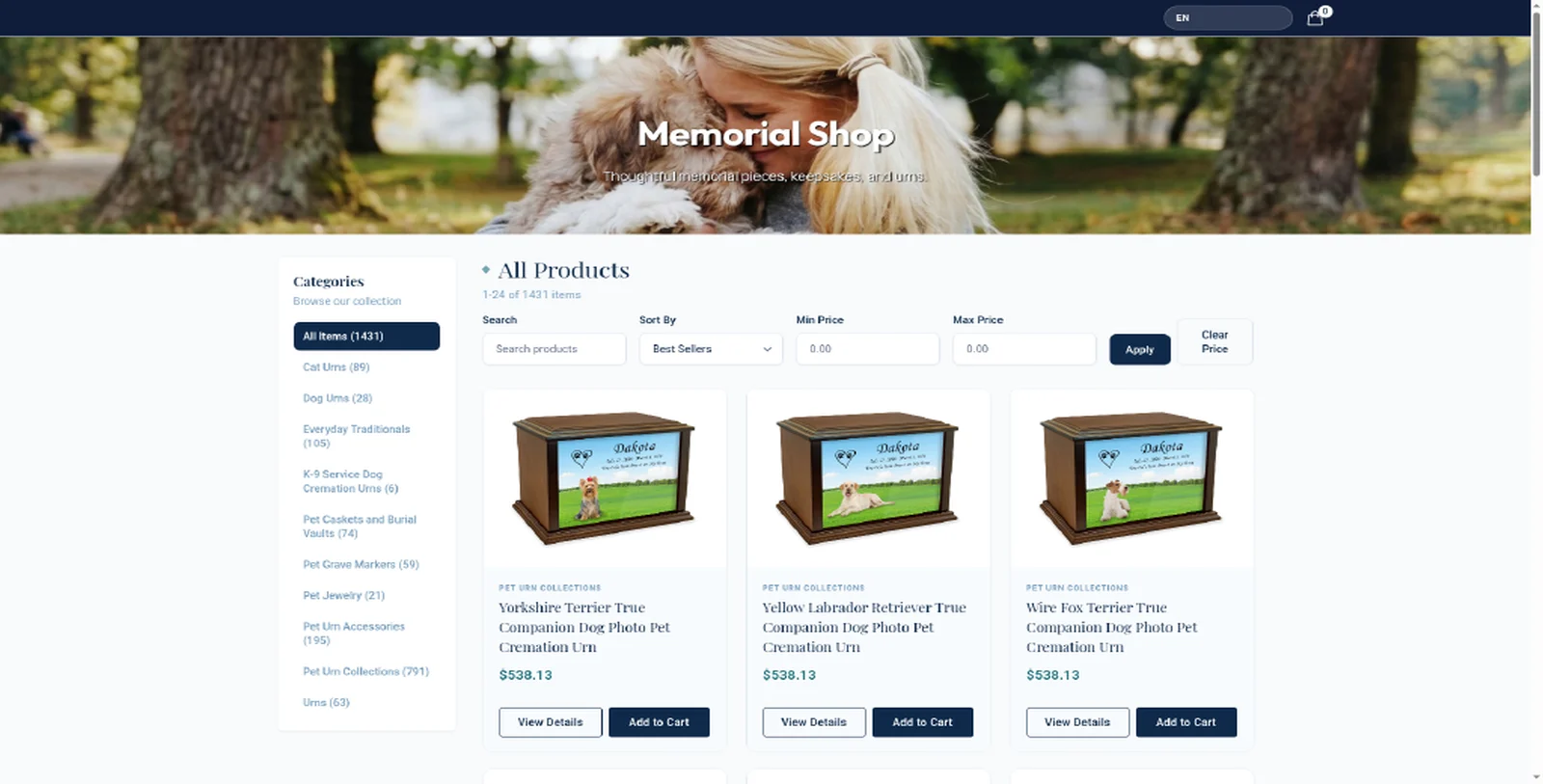
Shop screen from an Angelpaw storefront; checkout is an illustrative mockup with fictional data.
One catalog, the right channel for each buyer.
Each channel uses its own account pricing, so what a family sees in the shop can differ from what a clinic or your staff see.
Public Memorial Shop
Anyone can buy memorial products from your shop link, without an existing pet order.
Service-request portals
Families arranging services choose packages and additional items in the self-service portal.
Pet parent add-ons
Signed-in pet parents add products to their current order from the Pet Parent Portal catalog.
Angelpaw Store for staff
Your team buys urns, keepsakes and supplies from Angelpaw at wholesale prices, or turns on dropshipping.
One flow for the family, one for your team.
The shop, the checkout and the back office all run on the same catalog and payments.
Families browse by category
The shop lists active products with an offered shop price, grouped by category, with search, sorting and price filters. Out-of-stock products can be hidden.
- Categories built from your published products
- Option and personalization fees reflected in the price
- Service, fee and supply categories stay out of the shop
Shipping and tax, calculated for them
Families review their cart, enter contact and shipping information, get a shipping quote, see sales tax and pay by card.
- Sales tax at the rate for the shipping address
- Shipping is quoted for the destination before payment
- Products can ship separately from different origins
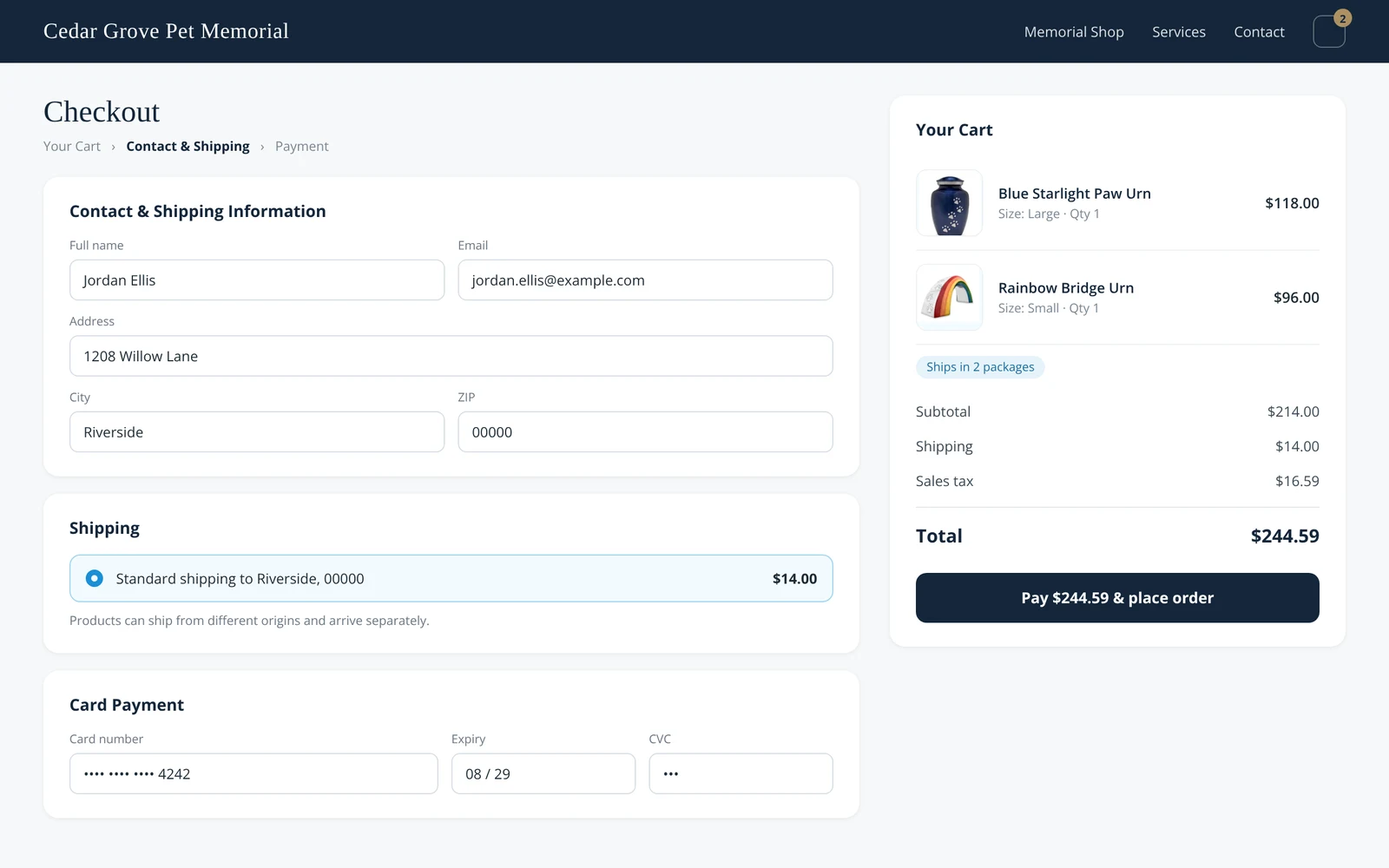
Illustrative mockup with fictional data.
Every order, ready to pick or ship
Storefront Orders shows the customer, payment and fulfillment for each sale. Your team picks only the lines that need crematory fulfillment, while dropship items follow their purchase order.
- Filter by status, fulfillment mix and payment owner
- Mark shipped with carrier and tracking number
- Resend the confirmation, refund lines or the remaining balance
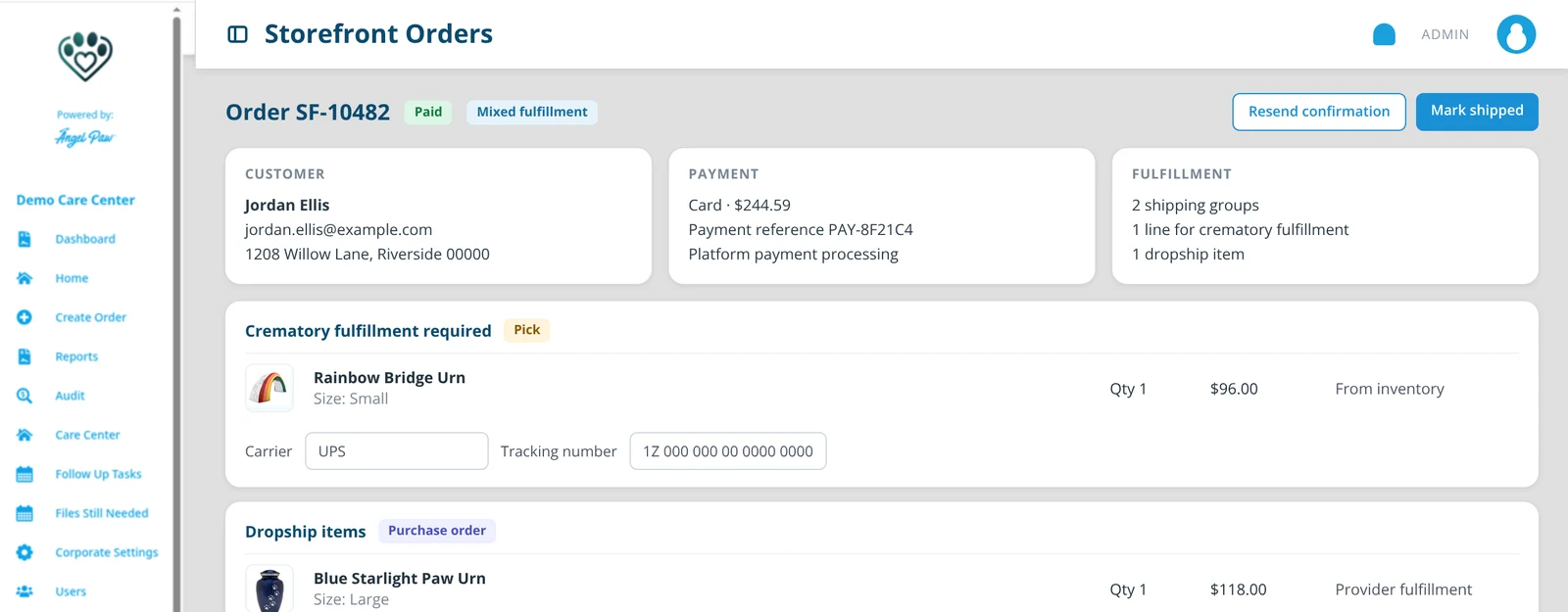
Illustrative mockup with fictional data.
Offer more without stocking more.
Open a product in the Angelpaw Store, choose a size, enter your selling price and turn on dropshipping. The product joins your catalog, and when it sells, it is ordered from the supplier for you.
- Sizes, colors and case pricing on every product page
- Your selling price, set per product
- Dropship and inventory items can share one order
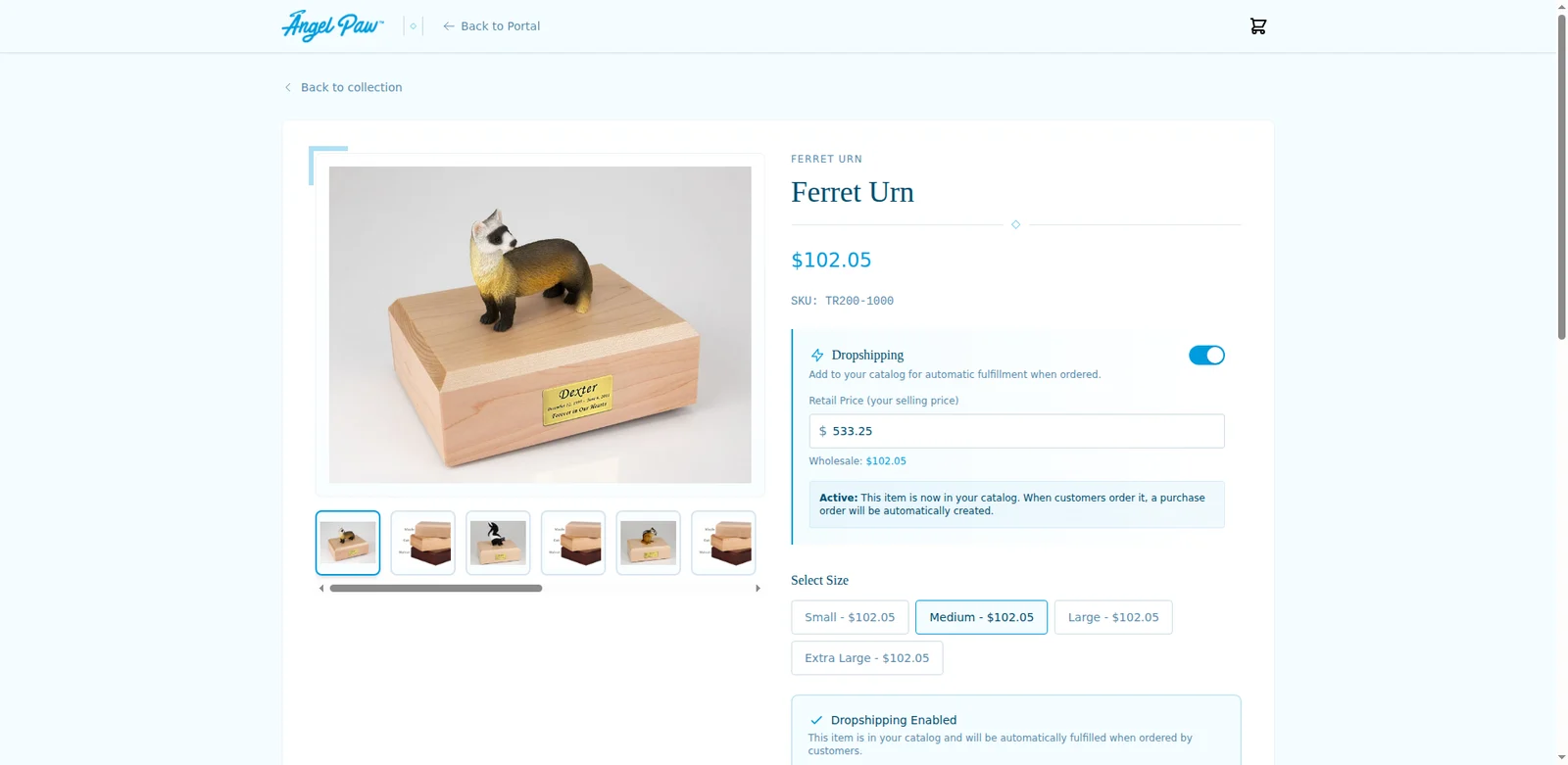
Real Angelpaw Store screen from a demo care center.
Wholesale supplies, without leaving the portal.
Your team buys urns, keepsakes, memorial products and supplies from Angelpaw at wholesale prices. Purchases become purchase orders you receive into inventory.
- Categories, search and filters by size or color
- Per-unit and case pricing
- Orders followed through to inventory receiving
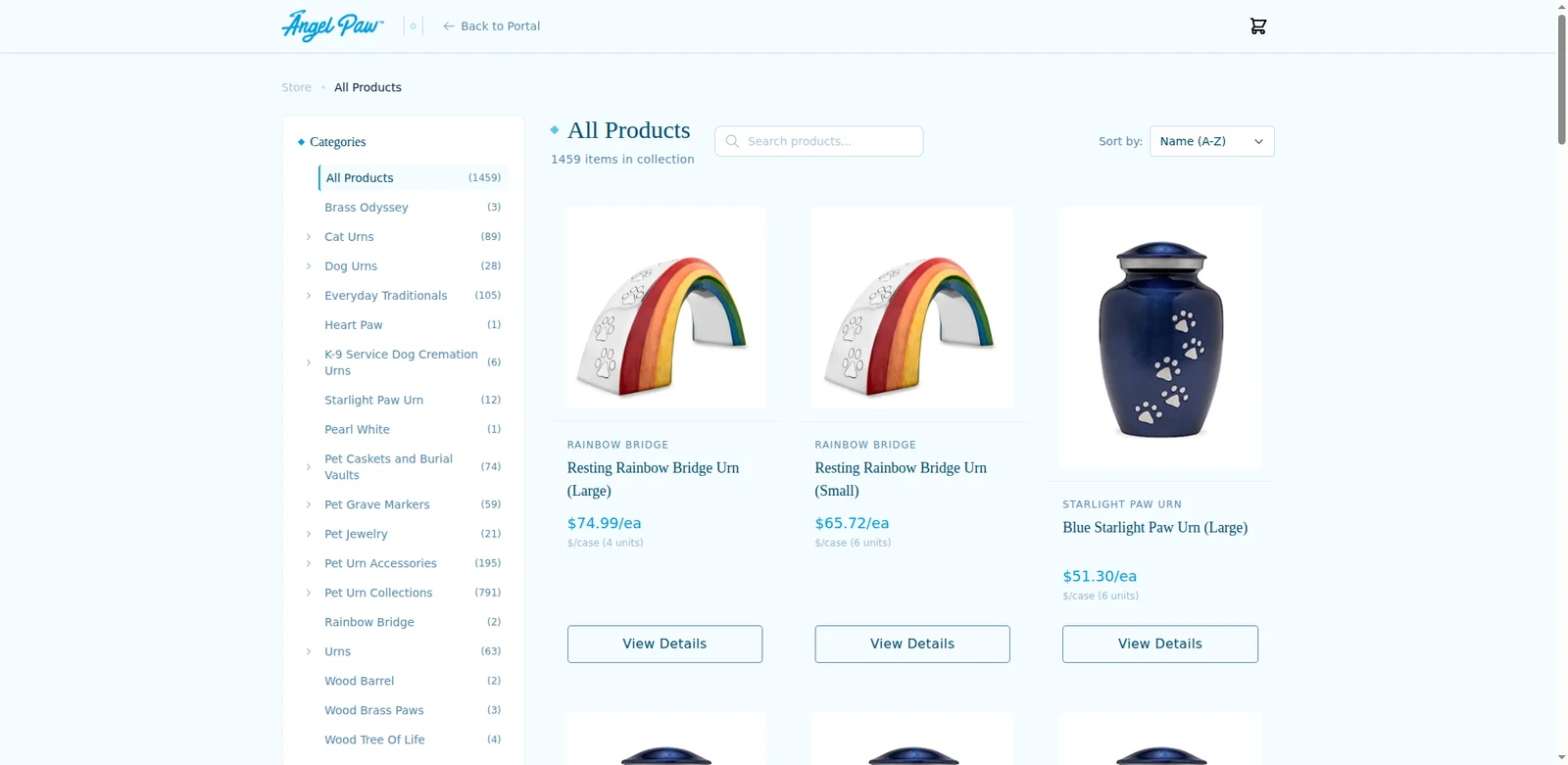
Real Angelpaw Store screen from a demo care center.
The details that keep a shop honest.
Payments handled
Inventory-only orders use your care center’s payment processing; orders with dropship products use platform payment processing.
Confirmations
The customer confirmation lists the order reference, total and items, and explains that some products may ship separately.
Team notifications
Checkout notifications go to the recipients you configure.
Refunds and cancellations
Refund selected lines, the full remaining balance, or cancel and refund, with a reason recorded.
Inventory aware
Inventory lines can link to a retail order, and stock levels decide what is purchasable.
Your prices, published
Products appear in the shop when they have an offered price on your Merchandise Shop Account and are enabled for the website shop.
Something to hold on to, when they are ready.
Urns, keepsakes, jewelry and memorial pieces are often what families come back for. A shop under your name keeps them with you.

Common questions
Do families need a pet order to buy?
No. The public Memorial Shop lets anyone buy memorial products. Families with a current order can also add products from the Pet Parent Portal.
What is dropshipping?
For eligible Angelpaw Store products you set your selling price and turn on dropshipping. The product is added to your catalog and ordered from the supplier when it sells, so you do not have to stock it.
How is sales tax handled?
Items marked Taxable are taxed at the rate for the customer’s shipping address (or billing address when there is none). Shipping is not taxed by this calculation.
Can one order mix stock and dropship items?
Yes. The order keeps separate shipping groups, and your team picks only the lines that need crematory fulfillment.
Who sees Storefront Orders?
Care-center administrators and office staff, under the applicable menu access.