
Their pet’s final journey, in their hands.
The Angelpaw Pet Parent App gives grieving families visibility, transparency and peace of mind: real-time tracking, a celebration video to share memories, a grief support library and the ability to purchase additional items, on the web, iPhone and Android.
Real screens from the Angelpaw Android app with test data.
No download needed to get started.
An account is created for every pet parent as soon as an order is placed, so families never have to sign up or ask for access.
Order is placed
At the veterinary hospital or through your online store.
Links arrive by email and text
The family gets a link to set a password and to download the app.
They follow every step
Status updates and a map pin show where their pet is.
They remember and share
Celebration video, grief support and keepsakes, whenever they are ready.
Everything a family needs, in four taps.
Home, Tracking, Celebration Video and Grief, plus a Profile page for the pet and the pet parent.
The order at a glance
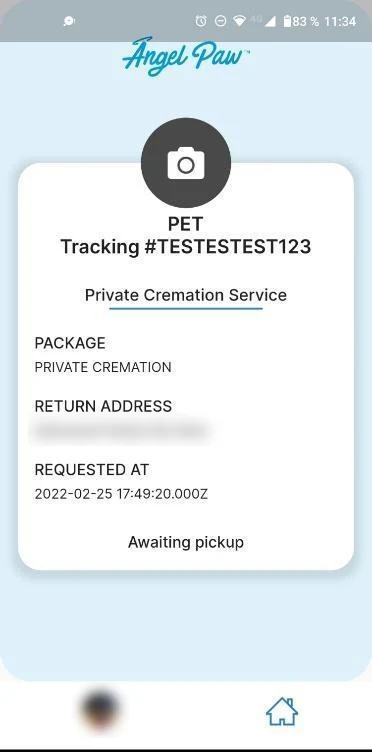
The Home page shows the service the family chose, the products purchased and the current status, all in one card.
- Service and package, for example private cremation
- Products purchased with the order
- Current status, such as Awaiting pickup
Every move, in real time
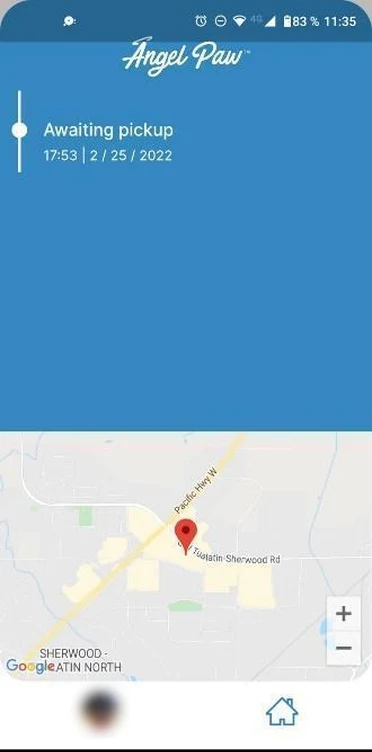
Tracking typically shows four updates, from order placed and pickup at the veterinary hospital, to arrival at the care center and the return trip.
- Time-stamped updates in a simple timeline
- Map pin at the veterinary hospital or the care center
- Families check for themselves instead of waiting for a call
A video to celebrate their pet
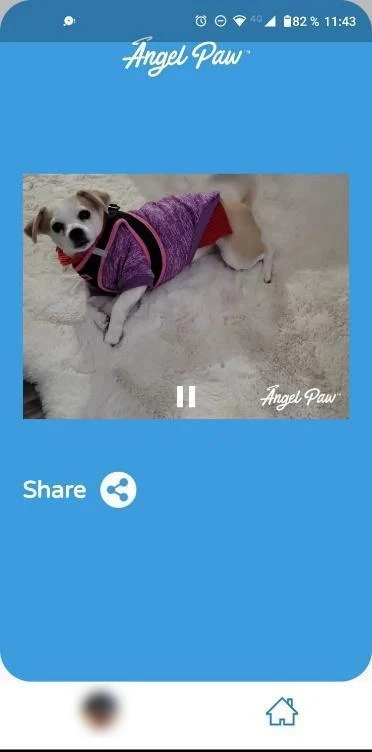
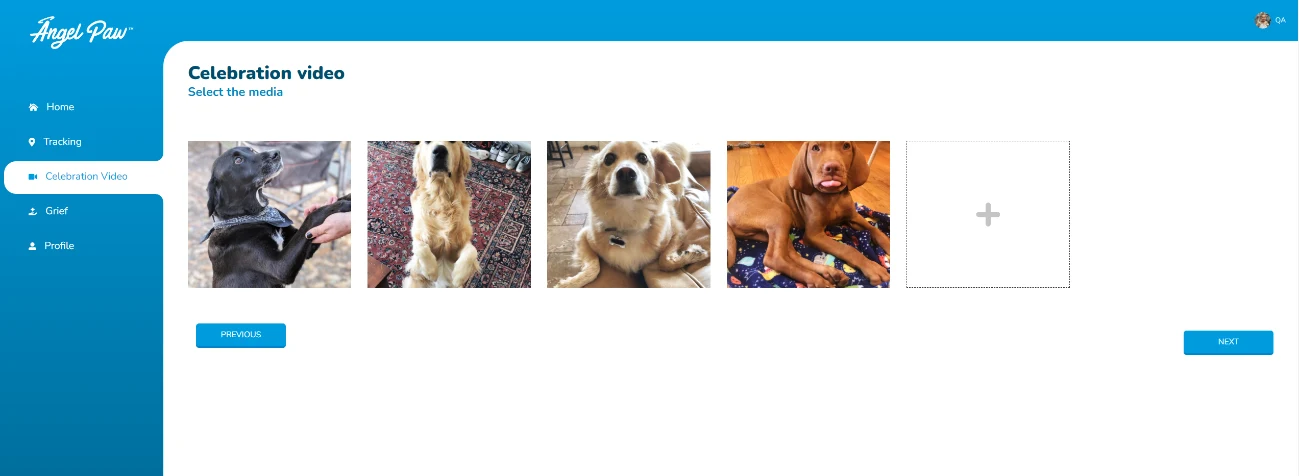
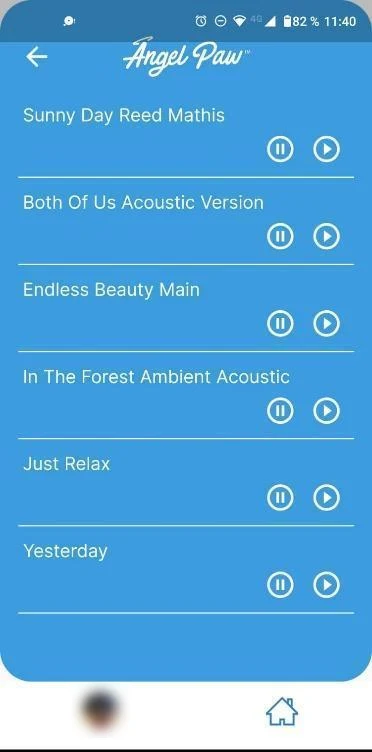
Families pick their favorite photos and a song, and Angelpaw creates a celebration video they can share with friends and family.
- Up to 10 photos, up to 10 MB each
- Choose from a list of music tracks
- Share to Facebook, Instagram, WhatsApp or Gmail, or copy the link
Help when they need it
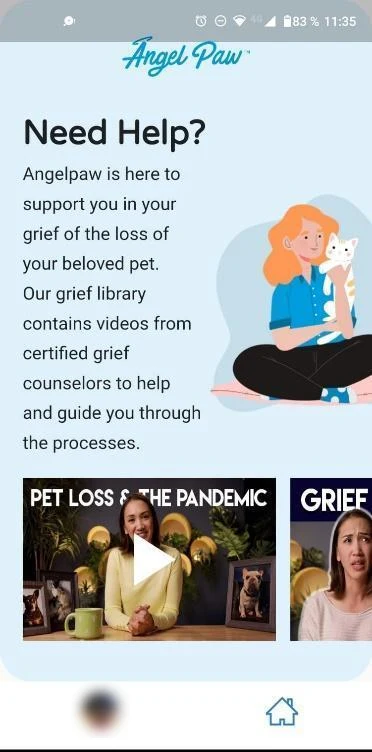
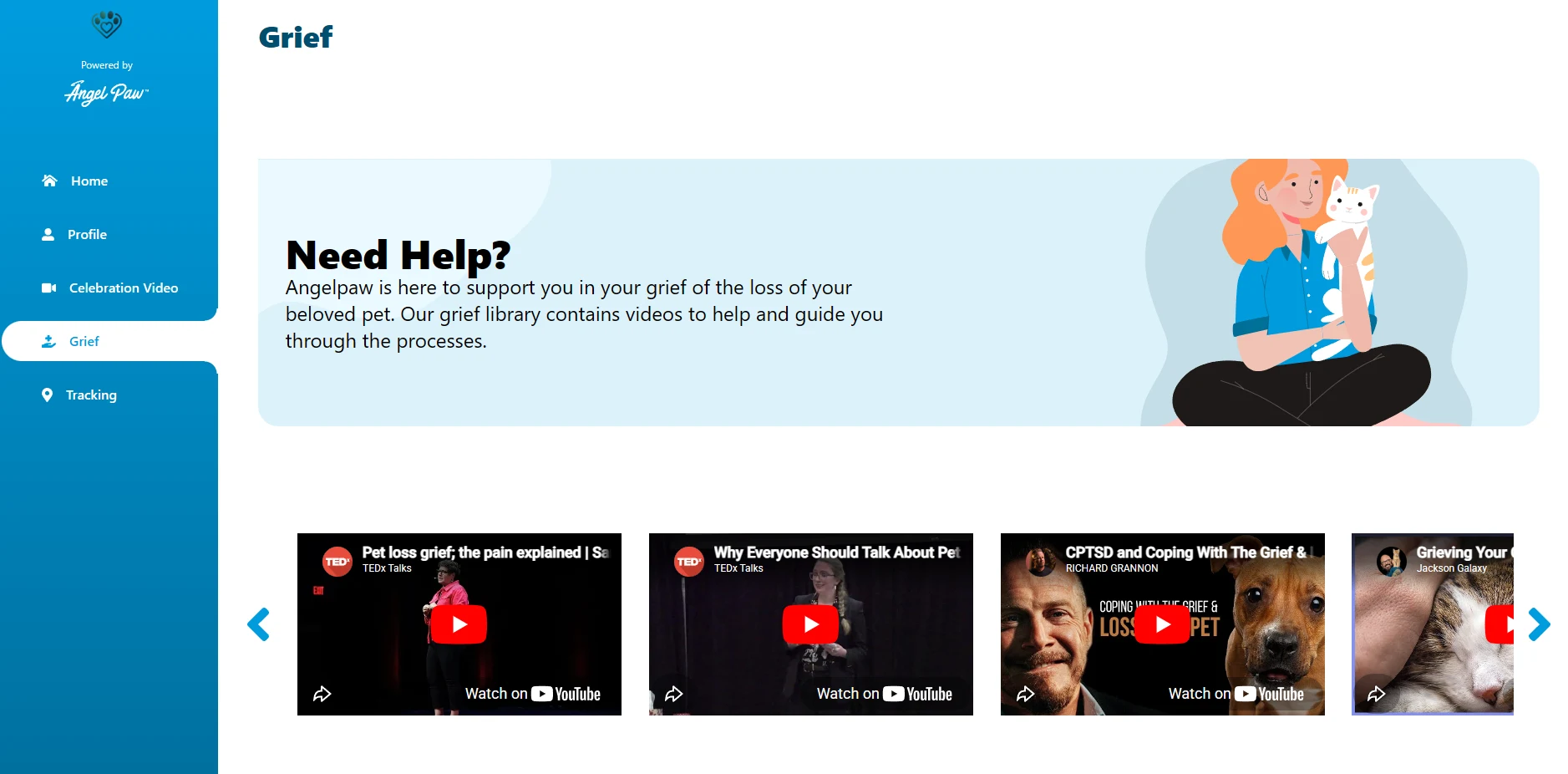
The Need Help? page opens a library of grief support videos to help families through the loss of their pet.
- A library of grief support videos
- Available any time from the dashboard
- On the web portal and in the apps
Real screens from the Angelpaw Android app with test data. Personal details are blurred.
Turn their favorite photos into a video to share.
From the web portal or the apps, families click Start, add or remove photos, pick a song and preview the result. Creating the video can take up to a minute, then it is ready to share.
- 1Select up to 10 photos, each up to 10 MB
- 2Pick a music track and preview the video
- 3Share it on social media, by email, or copy the link
A gentle place to turn to.
Grief does not follow business hours. The Need Help? library is always one tap away, with videos chosen to help pet parents through the loss of their companion.
Updates by email and text, from the first hour.
As soon as the order is taken, families receive links by email and text to set their password and download the app. From then on they can open their account at any time, from any device.
- Account created automatically for each pet parent
- Set and reset password by email link
- Web portal, iOS app and Android app
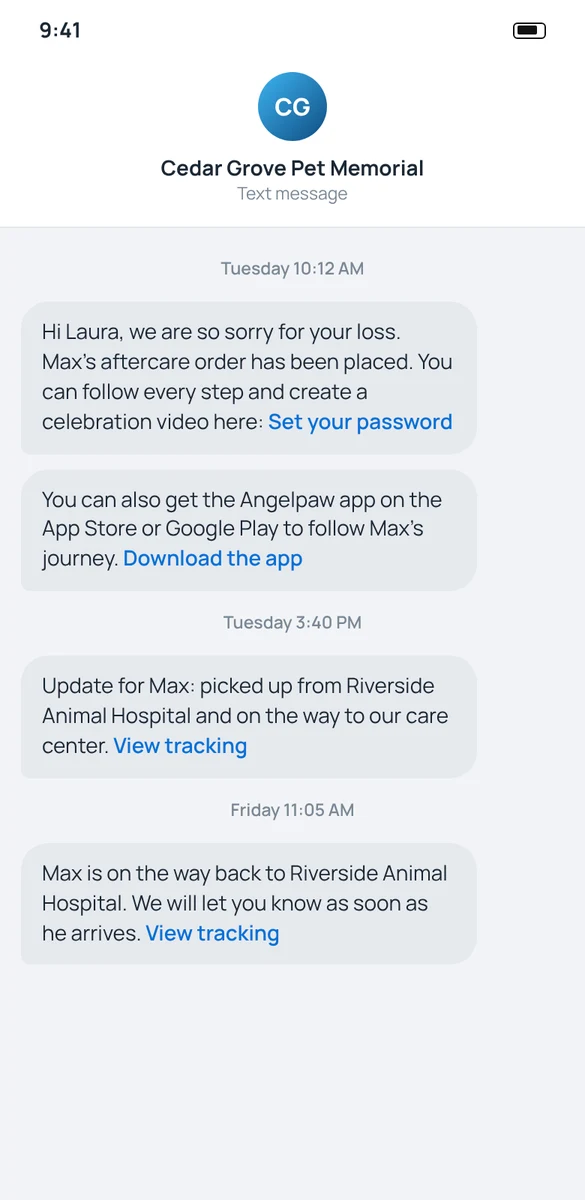
Illustrative mockup with fictional names. Message wording depends on your settings.
Answers before they have to ask.
Losing a pet is hard enough. With the Pet Parent App, families know where their companion is and what happens next, and they have something meaningful to hold on to when they are ready.

Peace of mind for families. Fewer loose ends for you.
Status without the phone tag
Families see where their pet is at every step, so your team spends less time answering status calls.
A meaningful extra
The celebration video gives families something to keep and share, created from their own photos.
Additional purchases
Pet parents can purchase additional items from their account, connected to the same order.
Grief support built in
A library of grief support videos is part of the experience, not an afterthought.
Web, iPhone and Android
The same account works on the web portal and in the apps for iOS and Android.
Same data as everything else
The app reads from the same Angelpaw order your team, drivers and veterinary partners use.
Common questions
Do pet parents need to sign up?
No. An Angelpaw account is set up for each pet parent once an order is taken at a veterinary hospital or through e-commerce. They receive links by email and text, set a password and log in.
Which devices are supported?
Families can use the web portal from any browser, or the Angelpaw apps for iOS and Android.
What does tracking show?
Tracking typically shows four updates: order placed, pickup at the veterinary hospital, delivery to the care center, and the return trip and delivery to the veterinary office. A map pin shows the confirmed location at the hospital or the care center.
How does the celebration video work?
The pet parent clicks Start, selects up to 10 photos (up to 10 MB each), chooses music and previews the video. It can take up to a minute to create, then it can be shared on social media, by email or with a link.
What if a pet parent forgets their password?
They can request a recovery email from the login page and set a new password from the link they receive.
Can families buy more items later?
Yes. The Pet Parent App includes the ability to purchase additional items, connected to their pet’s order.