
Every pickup, service and return on one schedule.
Appointment calendars for home pickups, drop-offs, cremation services, vet runs and returns, with your own hours and slot lengths. Families can book online, staff book in the order, and weekend, after-hours and holiday fees are added automatically.
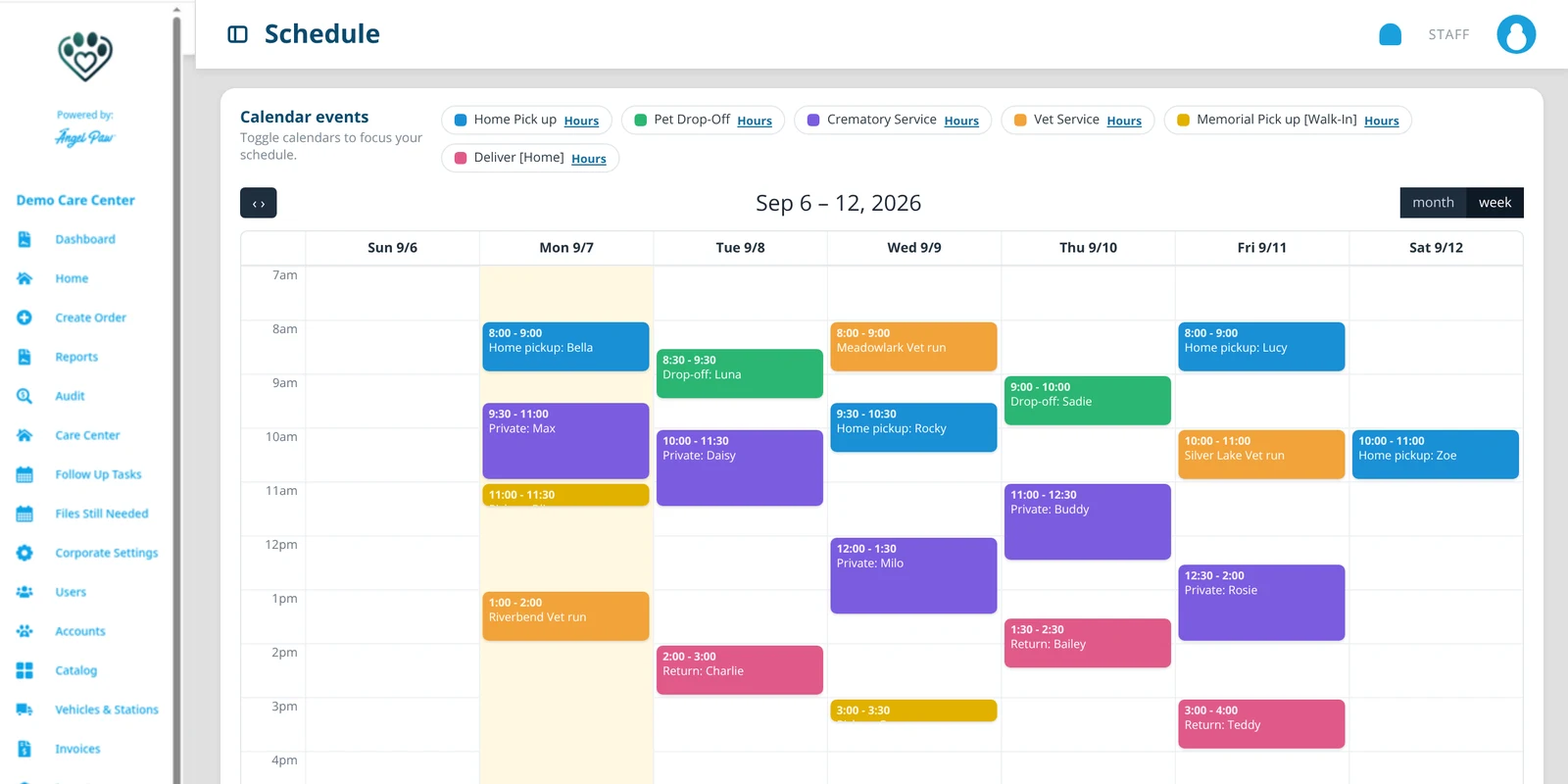
Illustrative mockups based on the Angelpaw Schedule screen, with fictional appointments.
A calendar for every kind of appointment.
Each calendar has its own hours and slot length. Toggle calendars on and off to focus the schedule.
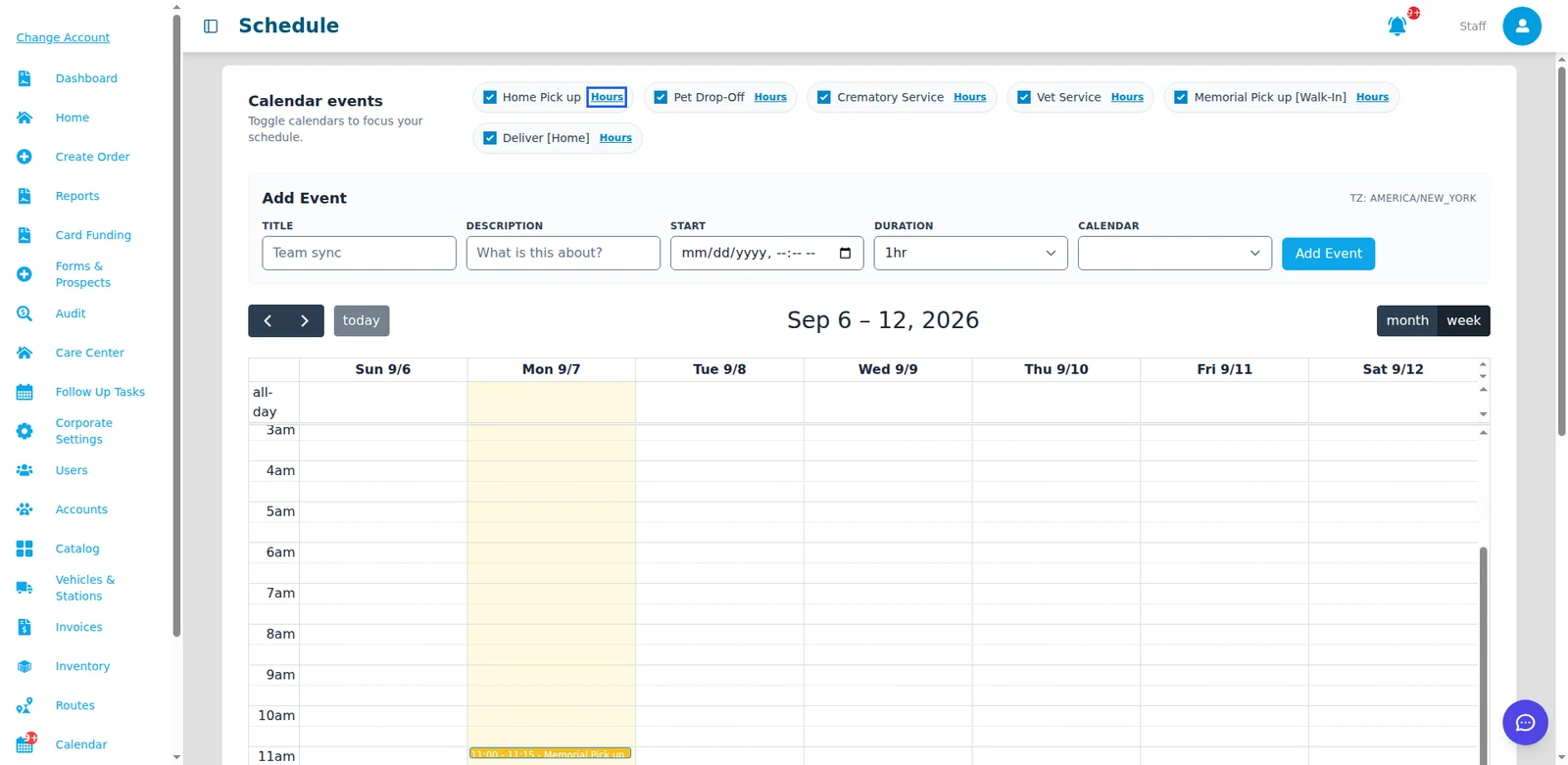
Real Angelpaw Schedule screen from a demo care center.
Open when you are open.
Set the opening and closing time for every weekday, mark closed days, and choose the slot length from 2 to 120 minutes. Offer extra slots outside regular hours when you want to, like weekend pickups.
- Regular hours per calendar and weekday
- Slot duration: 2, 5, 10, 15, 20, 30, 45, 60, 90 or 120 minutes
- Bookings outside regular hours, day by day
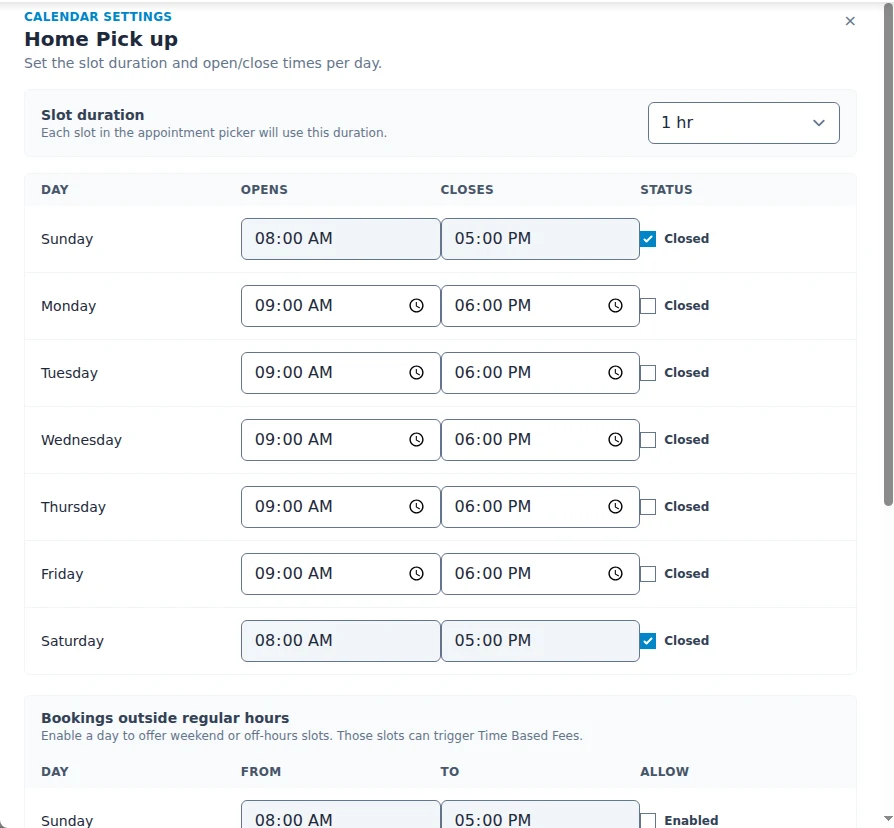
Real Angelpaw screen from a demo care center.
Families pick the time that works for them.
With the online scheduling calendar turned on, pet parents choose a date and time for the hand-off while arranging services online. Any weekend or time-based fees are added to the summary before they pay.
- Only open slots are offered
- Fees shown before payment
- The appointment lands on the right calendar
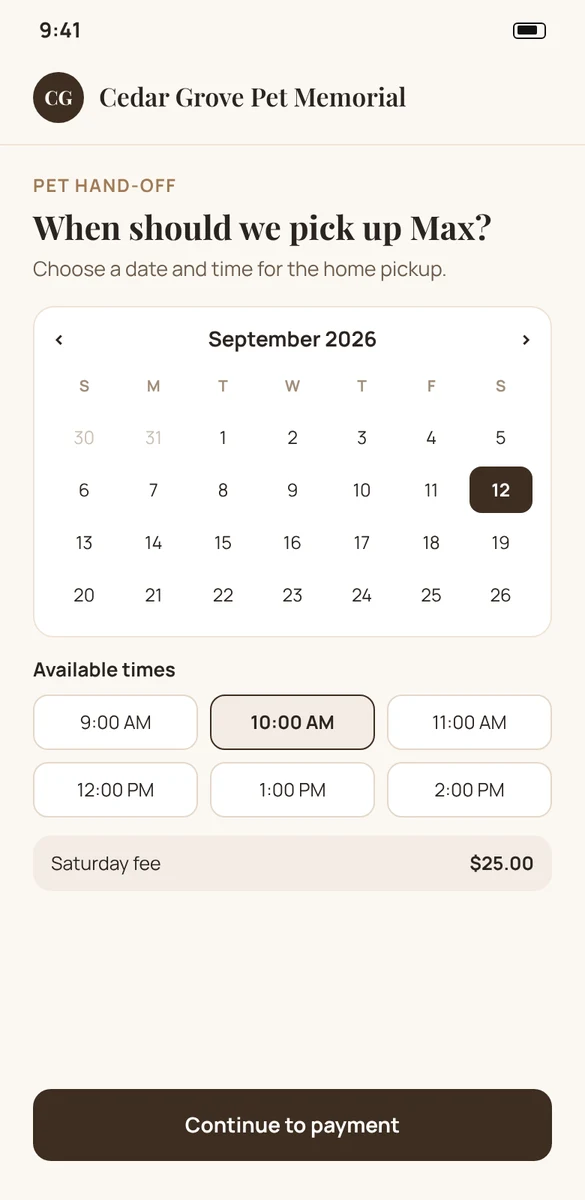
Illustrative mockup with a fictional brand.
Weekend, after-hours and holiday pricing, automatically.
Pick a Saturday slot on a calendar and the right fee appears in the order. What you see is exactly what will be charged.
Four fee types
Saturday, Sunday, after hours and holiday, each priced independently.
Your pricing hierarchy
Care center defaults, overridden by account groups and individual accounts.
Scoped by appointment
Limit a fee to pickups, drop-offs, services or vet services.
Per-item fees
Items can carry their own fees, added on top, per quantity or once.
Overlap policy
Decide whether a holiday on a Saturday charges one fee or both.
Never surprise
Calendar moves and order edits never add new fee lines.
Holidays priced the way you want.
Build your care center’s holiday calendar once. Holiday fees only apply on the dates in it, and the overlap policy decides how they combine with weekend and after-hours fees.
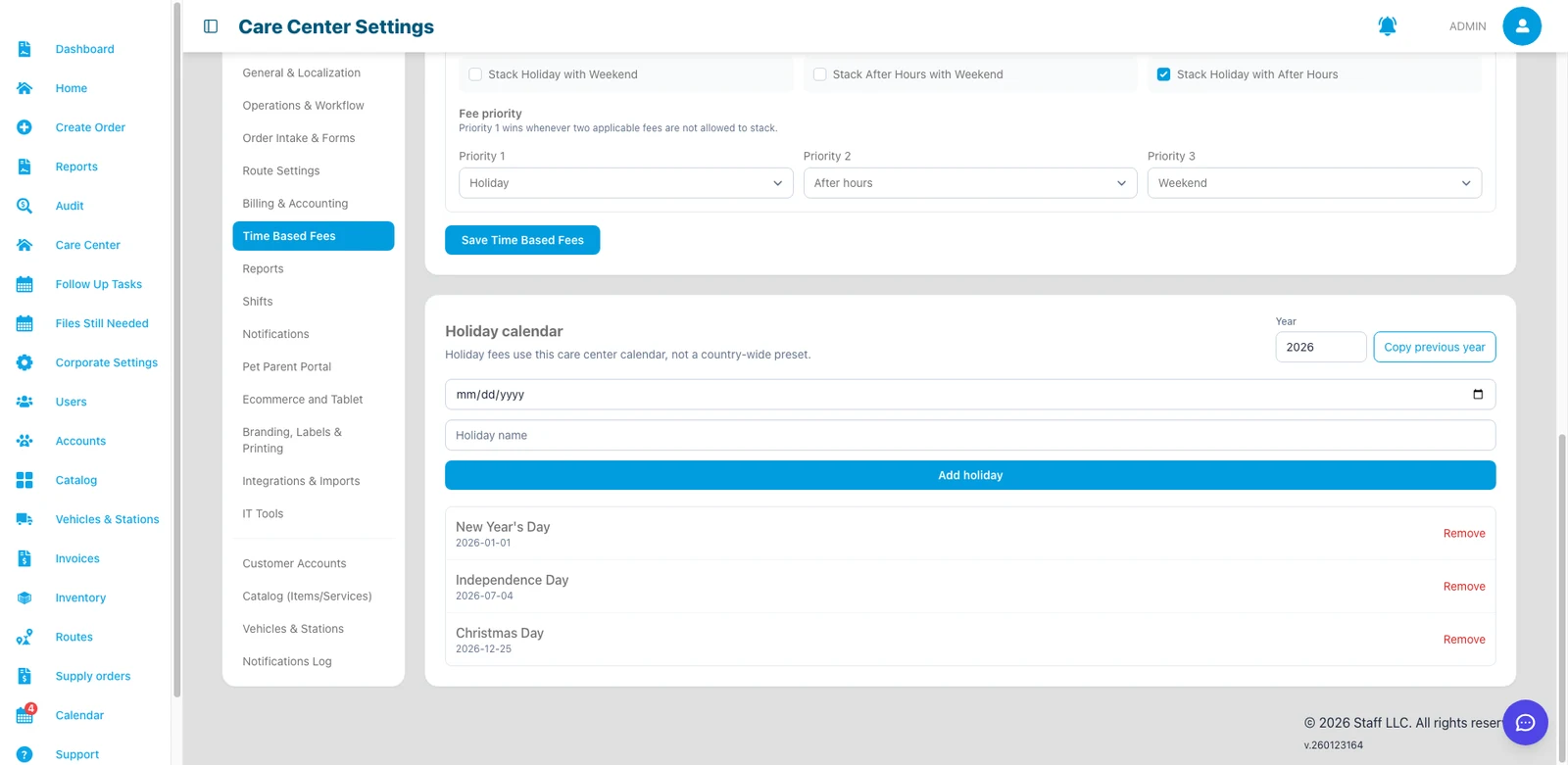
Real Angelpaw screen from a demo care center.
Office, floor and drivers on the same plan.
The calendar is available to Care Center Managers, Care Center Staff and drivers, so everyone sees what is coming today and this week.

Common questions
Which calendars can I set up?
Calendars follow your appointment types, for example home pickups, drop-offs, crematory services, vet services, walk-in memorial pickups and home deliveries. Each has its own hours and slot length.
Can families book a time online?
Yes. With the online scheduling calendar on, pet parents choose a date and time for the hand-off while arranging services online.
How are weekend and after-hours fees calculated?
Fees come from your care center defaults, account group or account rules, plus any per-item fees. After hours is based on each calendar’s regular hours.
Does weekend pricing open my calendar on weekends?
No. Calendar settings control whether a time can be booked; Time Based Fees control what it costs. Use Bookings outside regular hours to open extra slots.
Can staff add internal events?
Yes. Add Event lets staff put events with a title, description, start, duration and calendar on the schedule.