
Proof at every step, for every pet.
Audit brings together the digital trail of every order, the photos and evidence captured along the way, and how the family rated their experience. Care centers, regional managers and vet partners get the same peace of mind.
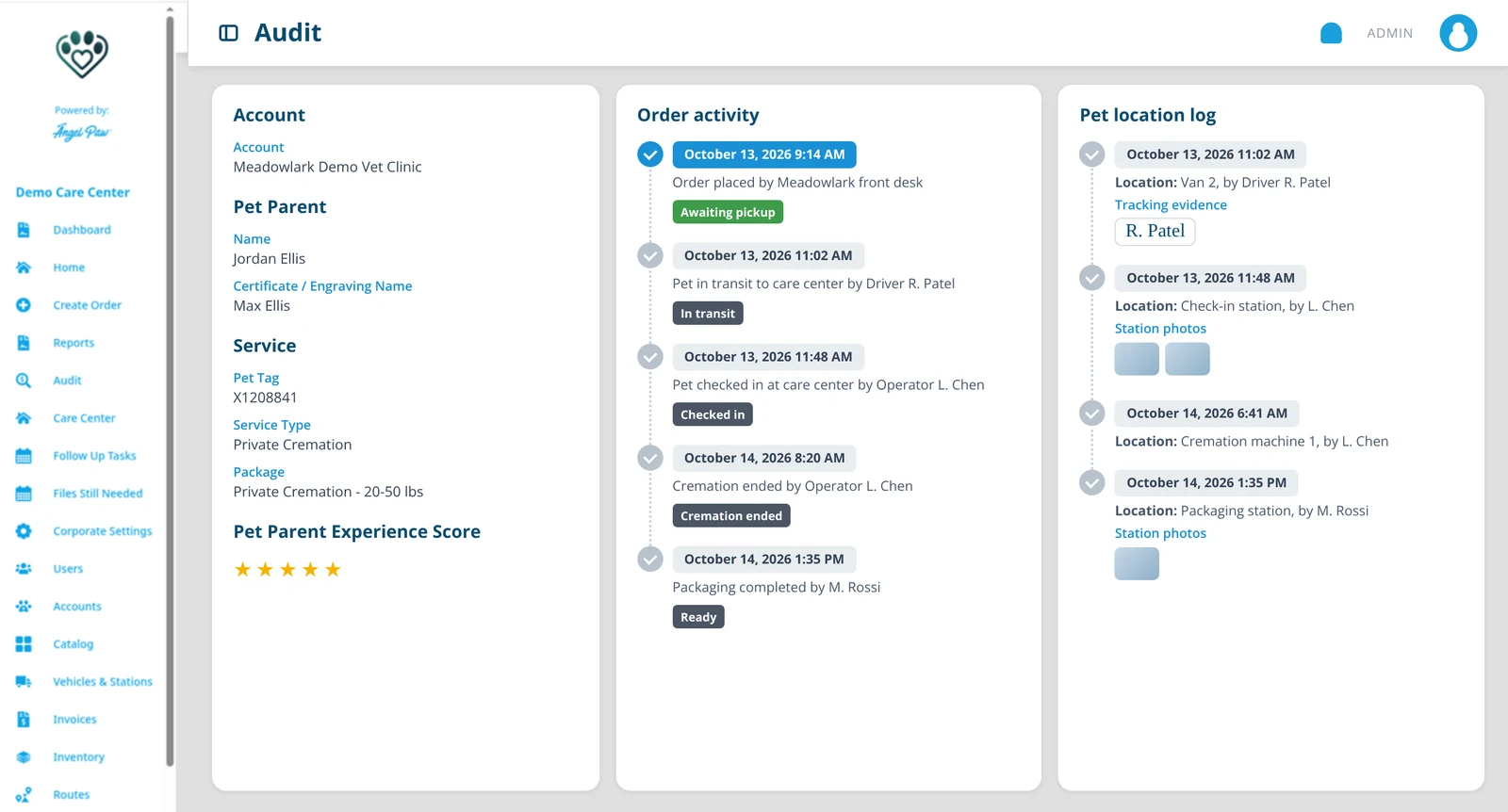
Illustrative mockup with fictional data.
Digital, evidence and experience.
Each layer answers a different question, and together they cover the whole journey.
Digital audit
Transactional and workflow audit trails: who did what, and when, on every order.
Evidence audit
Pet Notes and evidence photos recorded by staff and drivers, tagged with the station where they were taken.
Pet parent audit
Pet Parent Experience Score and NPS, so you hear how families rated their aftercare.
Every step, time-stamped.
The Audit screen shows orders with detailed descriptions of each process and its time stamp. Order activity lists every status change and who made it, and the pet location log shows where the pet was, when, and on whose watch.
- Order activity with time stamps and users
- Pet location log with each move
- Filter by tag ID, phone number, pet name, pet parent and date range
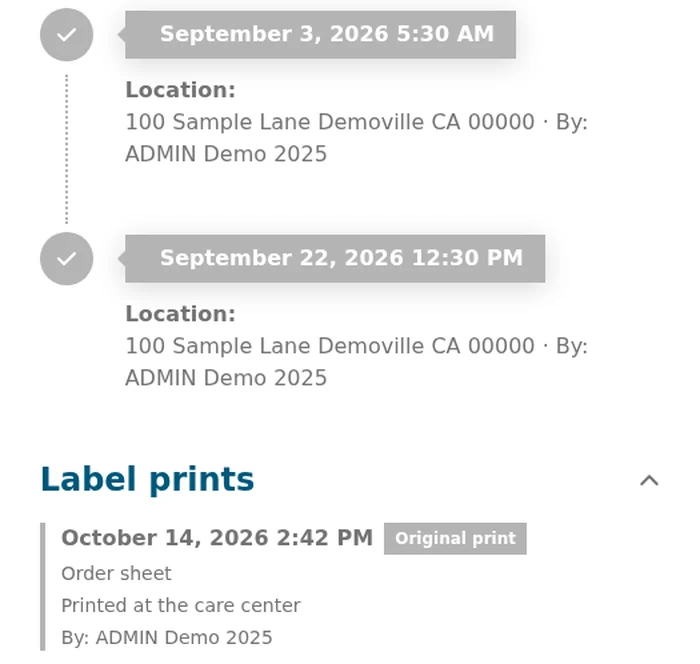
Real Angelpaw screen from a demo care center.
Notes and signatures that hold up.
Floor staff and drivers can record Pet Notes and evidence photos on a pet from the Care Center app or the Driver App, tagged with the station where they were taken, and they show in View Order. A driver’s signature appears on the collection or return entry where it was captured.
- Evidence photos via the Care Center app and Driver App
- Internal notes visible to care center staff only
- Entries without a signature say so: “No signature captured”
- Every label and paperwork print logged, original or reprint

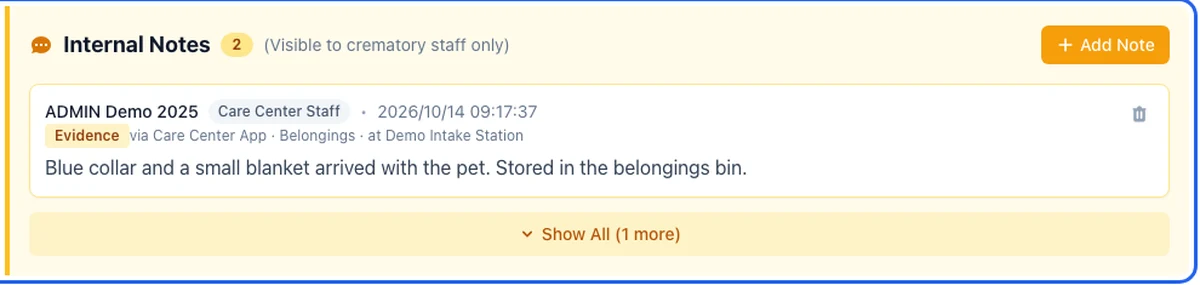
Illustrative photo. Below it, a real Angelpaw screen from a demo care center.
Transparency for everyone involved.
Audit is in the menu for the people who need to answer for the work.
Care center managers
The full audit trail for their care center.
Regional managers
Audit across the care centers they oversee.
Vet partners
Orders with detailed descriptions of processes and time stamps, in the Veterinarian Portal.
Common questions
What does the digital audit include?
Transactional and workflow audit trails: order activity with time stamps and users, and the pet location log with every move.
What evidence can staff add?
Pet Notes and evidence photos, recorded from the Care Center app or the Driver App. They show in View Order with the station where they were taken.
Can veterinary clinics see the audit?
Yes. The Veterinarian Portal has an Audit screen with orders, detailed process descriptions and time stamps.
How do pet parents fit in?
The Pet Parent Experience Score and NPS add the family’s view to the audit.